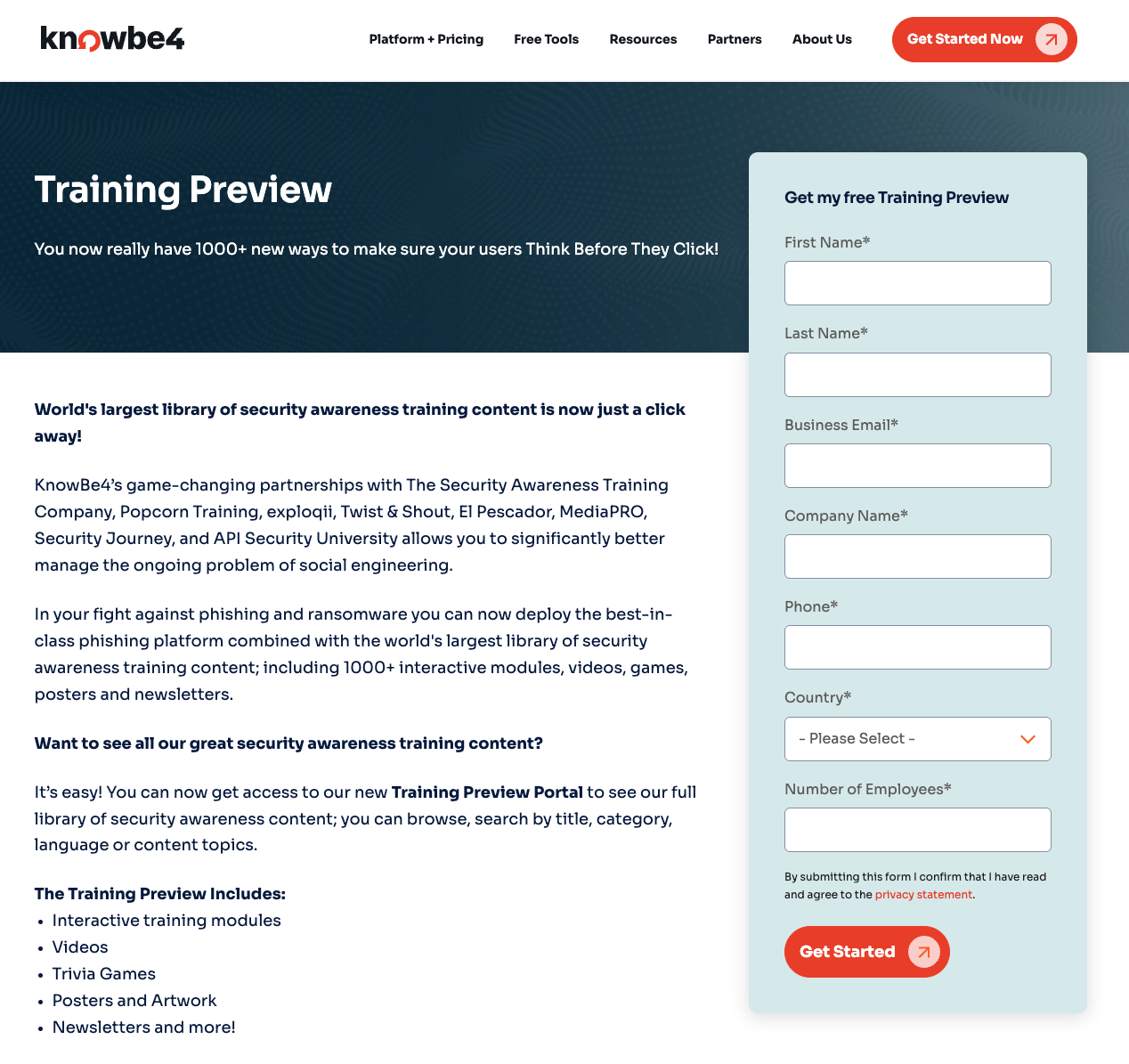
The Public Module Store, or Public ModStore, is a storefront that lets you view the training content we currently offer. You can browse content or search by title, language, subscription level, or content topics. To view the Public ModStore, click this link link (link opens in new window) to open it in your web browser.
KnowBe4 partners with many e-learning and security awareness training providers to offer a variety of training content. We constantly add content to the Public ModStore to help keep your users informed about important security topics. Our training content can help users learn to detect and prevent phishing and social engineering attacks, understand and comply with compliance requirements, and follow job-specific security requirements.
Searching for Content
We have enhanced our search tools to help you find the right training instantly. Near the top of the page, you can choose how you want to find content.
To learn more about the options on this page, see the screenshot and the list below:
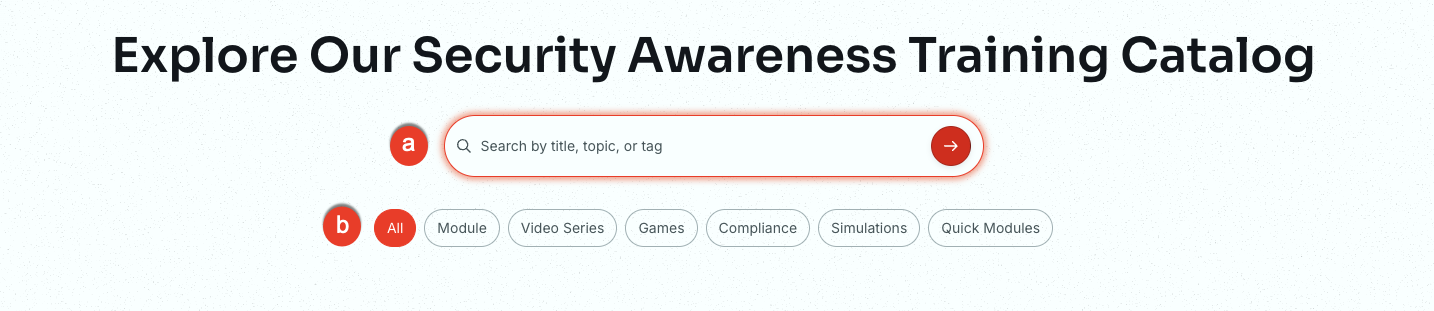
-
Search box: Enter a keyword or partial phrase to find specific content.
Note:The results will be based on your current subscription. - Quick Search: Use these buttons to filter for specific content types, such as Module or Compliance.
To learn more about a piece of content, click the module card to open a panel on the right side of the page.
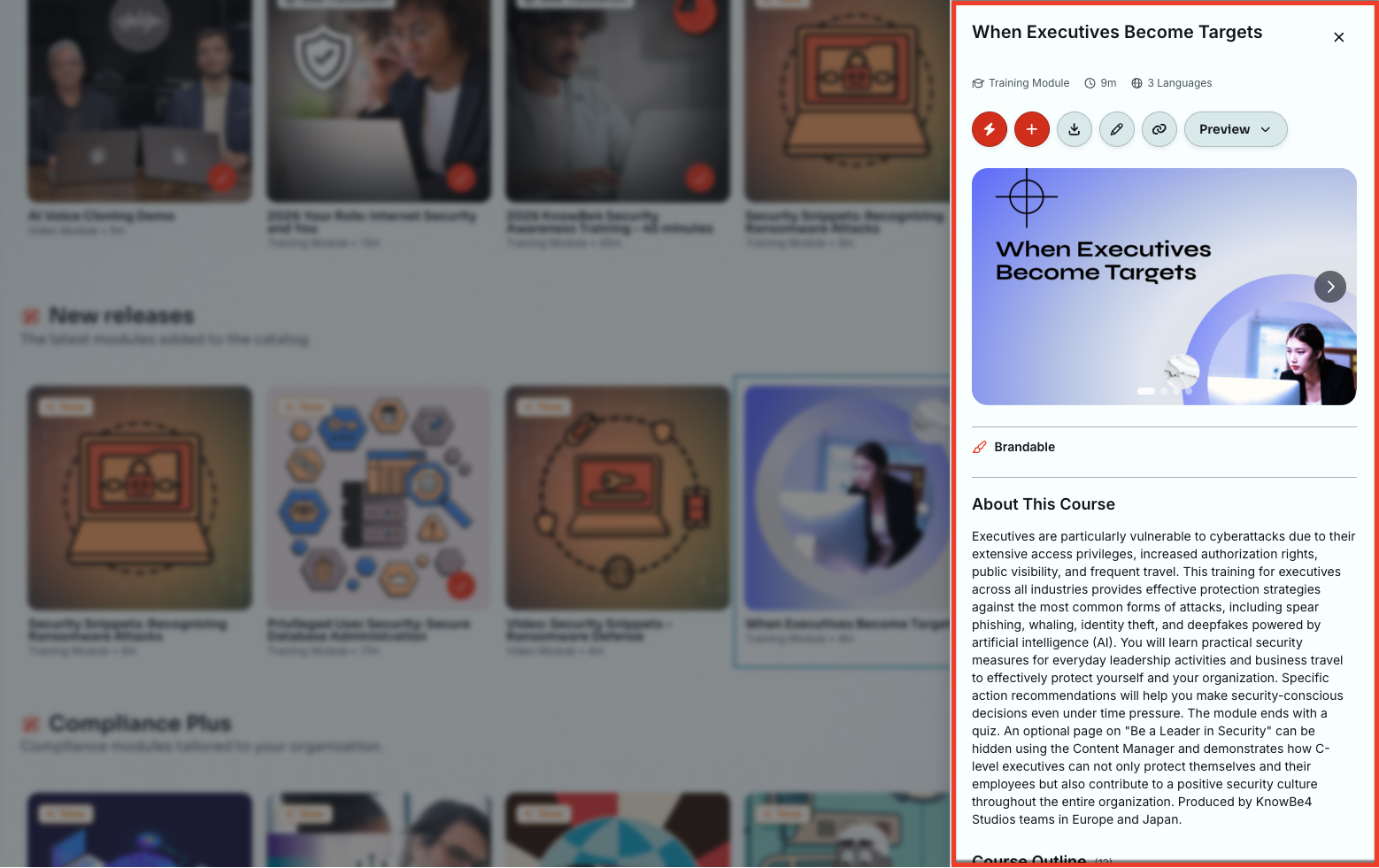
Module Details
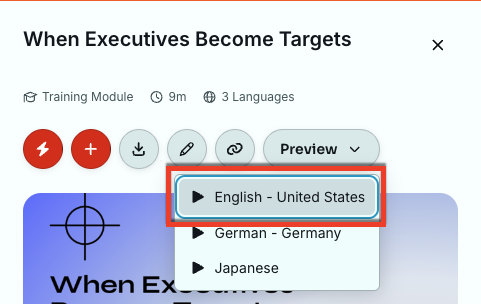
On the module details page, you can read a full description and preview the piece of content. To preview content, click the Preview drop-down menu, then select your desired language. The content will open in a new window.
Content Tags
The module card provides additional information via tags. There are four tags:
- Brandable: Identifies content that can be branded with your organization’s theme. For more information, see our Working with Brandable Content section.
- New: Identifies content that was recently added to the ModStore.
- New Translation: Identifies content that has added a new translation for that specific piece of content.
- Retiring Soon: Indicates active content that will soon be removed from the ModStore. For more information, see the Retired and Archived section of this guide.
Browsing the Catalog
You can find all available training content on the Browse Catalog tab of the ModStore. Use this tab to manually explore our complete library of security awareness content. To learn more about the options on this page, see the screenshot and the list below.
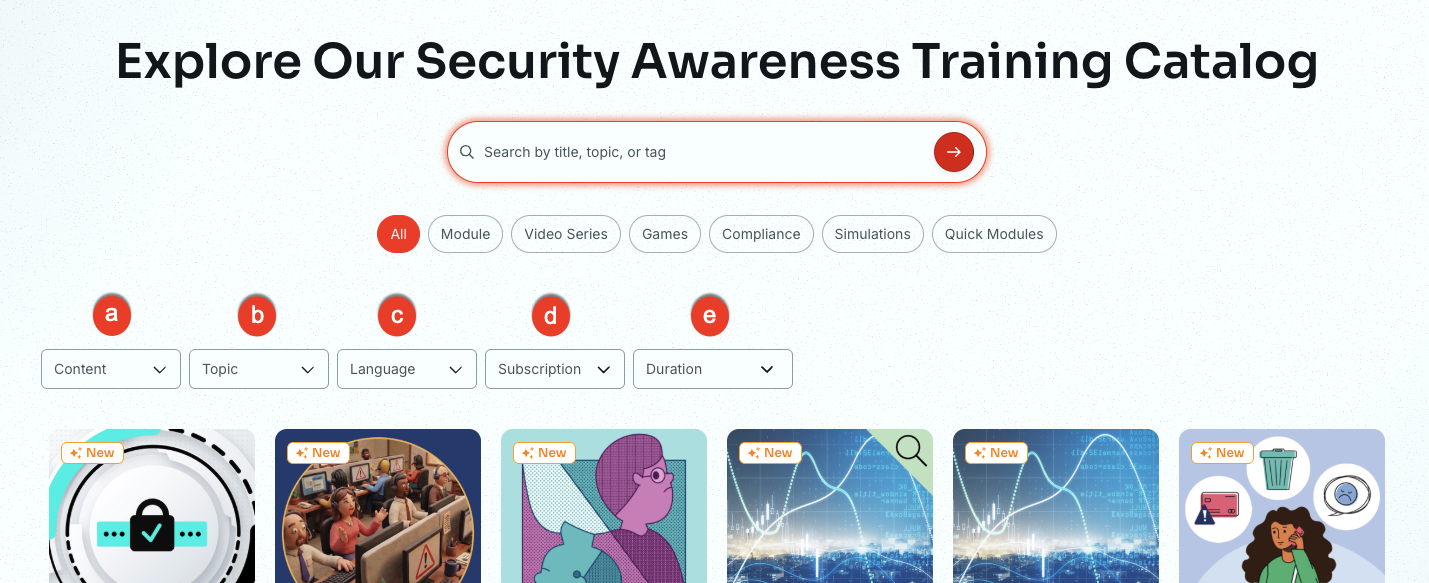
- Content: Use this drop-down menu to filter the catalog by a specific format, such as Games or Video Modules. Learn more about Content and Presentation types in the sections below.
- Topic: Filter the catalog by a specific security category, such as Phishing or Malware.
- Language: Use this option to filter your search results by language. Four sub-filters are available for the Languages filter.
- Subtitled: Select this option to display content in which the audio remains in the original language, but onscreen subtitles are displayed in the selected language.
- Dubbed: Select this option to display content in which the original audio is replaced with audio from the selected language.
- Localized: Select this option to display content that adapts original or dubbed audio to fit the cultural and linguistic preferences of a target language.
- Only show content available in all of the following languages: This filter displays only content that has been translated into all of the selected languages.
- Subscription: Use this option to filter your search results by subscription levels, such as Level 1, 2, or 3, Compliance Plus, and Student Edition.
- Duration: Narrow your results by the length of the training module.
Content Types
We offer the following types of training content:
- Posters and Artwork: Posters and artwork are high-quality images and PDF files that you can share digitally with your users. We encourage you to hang posters in your office to remind your users to stay safe at work. For more information, see our ModStore Posters Overview article.
- Newsletters and Documents: Newsletters and security documents are PDF files that you can print or share digitally with your users. These documents cover a wide range of cybersecurity topics to help reinforce the skills your users learn from their training.
- Games: Games can reinforce the skills and information that your users are learning in an interesting and engaging way. Our games are SCORM-compliant and can be downloaded to use in your own Learning Management System, or LMS.
- Video Modules: Videos are MP4 files that users can watch in their browser or download to their device. Our videos cover a wide range of cybersecurity topics.
- Training Modules: Interactive modules that cover a variety of cybersecurity topics. Our modules are SCORM-compliant and can be downloaded to use in your own Learning Management System, or LMS. Most training modules are brandable. For more information about brandable content, see our Brandable Content Guide.
- Mobile-First Modules: Mobile-first modules are training modules that are optimized to be viewed and interacted with on a mobile device. These modules are no longer than five minutes long and are designed to engage your users on their mobile devices. Our mobile-first modules are brandable and SCORM-compliant, so you can download these modules to use in your own LMS.
- Audiocasts: Bite-sized audio lessons that deliver focused insights in a convenient, easily digestible format, perfect for on-the-go learning.
Presentation Types
We also offer the following presentation types for our training content:
- Animated: Uses computer-generated effects and motion graphics to illustrate concepts. Examples include the World Wild Web series.
- Live-action: Features real people and high-quality production to create a realistic training experience. Examples include The Inside Man and Reality Bytes.
- Interactive: Encourages active participation through knowledge checks and game-like elements. This content includes all Training Modules, Games, and Mobile-First Modules.
- Humorous: Engages learners through comedy and lighthearted storytelling to make security training more memorable. Examples include Security Snapshots or Restricted Intelligence.
- Cinematic: Delivers high production value and film-quality visuals for an immersive, story-driven viewing experience. Examples include the Inside Man series.
- Corporate: Provides traditional, professional training with a straightforward instructional style.
- Simulation: Replicates real-world scenarios so learners can practice their skills in a safe, controlled environment. Examples include the KnowBe4 Security Awareness flagship modules.
- Text-based: Delivers training through written content. This content is ideal for quick reading and mobile-first learning. Examples include our Mobile-First modules.
- Audio-based: Focuses on spoken or auditory content, such as Audiocasts, for learning on the go. Our Audiocasts are a great example.
- AI-enhanced: Uses AI-generated images, video, or voiceovers to create modern and personalized learning experiences. Examples include Recognizing and Reporting Compliance Violations and the 2026 Social Engineering Red Flags.
Knowledge Checks and Quizzes
Many of our modules and games use knowledge checks and quizzes that help reinforce important security concepts. Because these elements reinforce learning, we consider them part of the total training time.
- Knowledge checks appear anywhere within a module to help solidify key concepts. These checks provide explanations so that users can learn from both correct and incorrect answers.
- Quizzes usually appear at the end of a module to test how much information a user has retained.
- Passing Scores: Most quizzes default to an 80 percent passing score.
- Adjusting Scores: You can use the Content Manager to change the passing score for some content.
- Retakes: If users do not pass, they can review the questions and retake the quiz.
Compliance Plus
If you have a Compliance Plus subscription, you have access to specialized training that addresses topics such as sexual harassment, discrimination, and business ethics. We regularly update this content to ensure that your organization meets specific legislative requirements.
Our compliance modules are SCORM-compliant. You can also use the Content Manager to customize these modules to fit your organization's needs.
When browsing the ModStore, look for content with an orange compliance badge next to the title. To see only Compliance Plus content, you can filter your results by the Compliance Plus subscription level.
Student Edition
If you have a KnowBe4 Student Edition subscription, you have access to training that is designed specifically for students. This content addresses security awareness topics from a student's perspective. We update this content regularly to ensure that the latest security threats are covered. Student Edition modules are brandable and SCORM-compliant.
When you browse the ModStore, look for content that has a KnowBe4 Student Edition badge under the title. To view only Student Edition content, you can filter your results by the appropriate subscription level.
Previewing Content in the Public ModStore
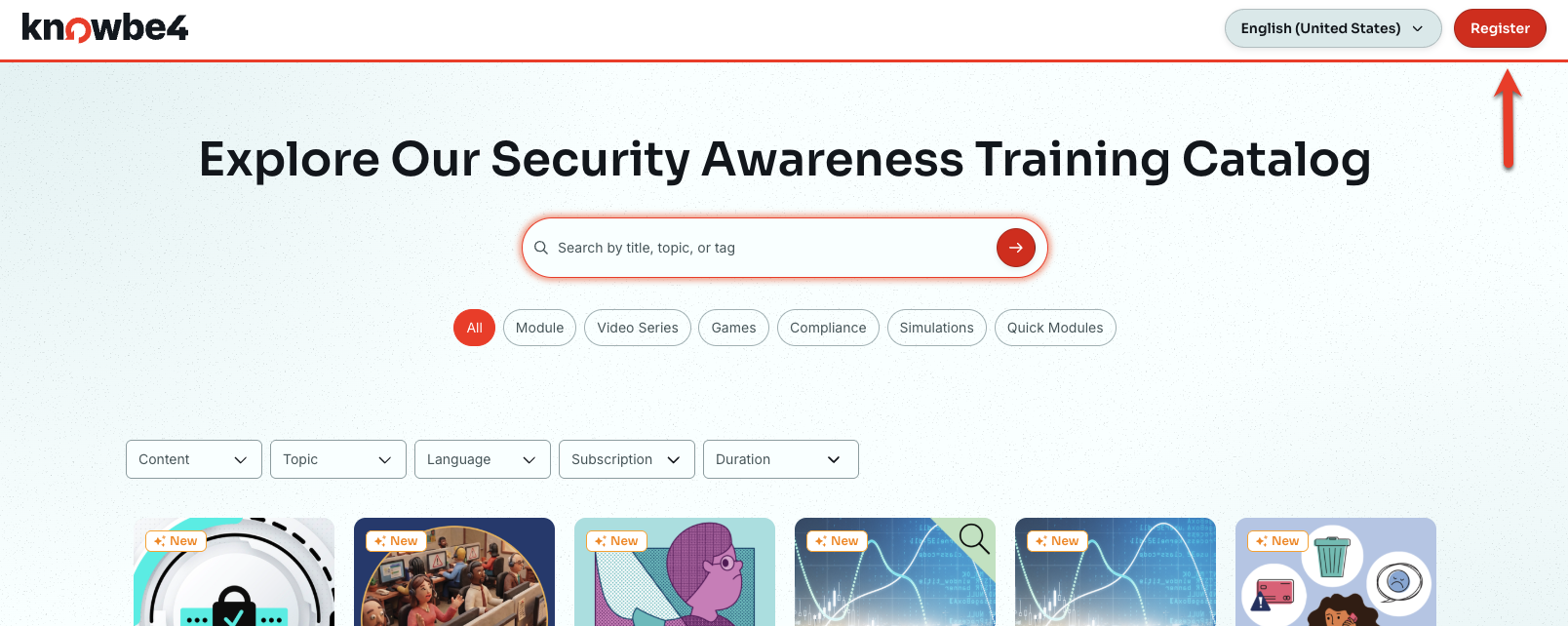
While you can use the Public ModStore to see what content we offer, you must be logged in to a KnowBe4 account to preview this content. If you do not have a KnowBe4 account, you can click the Register button in the top-right corner of the page to create a free account. For more information about creating your account, see the Registering for a New Account in the Public ModStore subsection below.
Registering for a New Account in the Public ModStore
You can sign up for a free KnowBe4 account to preview our training content. To sign up for an account, click the Register button in the top-right corner of the page. When you click the Register button, you will be taken to our ModStore Preview Portal page. On this page, you can fill out a form and then select Get Started to create your free account.