User Feedback is a Real-Time Coaching feature that lets you request and receive feedback from your users on the SecurityTips they receive. You can allow your users to confirm they received the SecurityTip, confirm whether they know why they received it, or submit custom feedback and questions about it.
Enabling User Feedback
When you configure a detection rule, you can enable User Feedback so users can provide feedback when they receive SecurityTips. For more information, see the screenshot and list below:
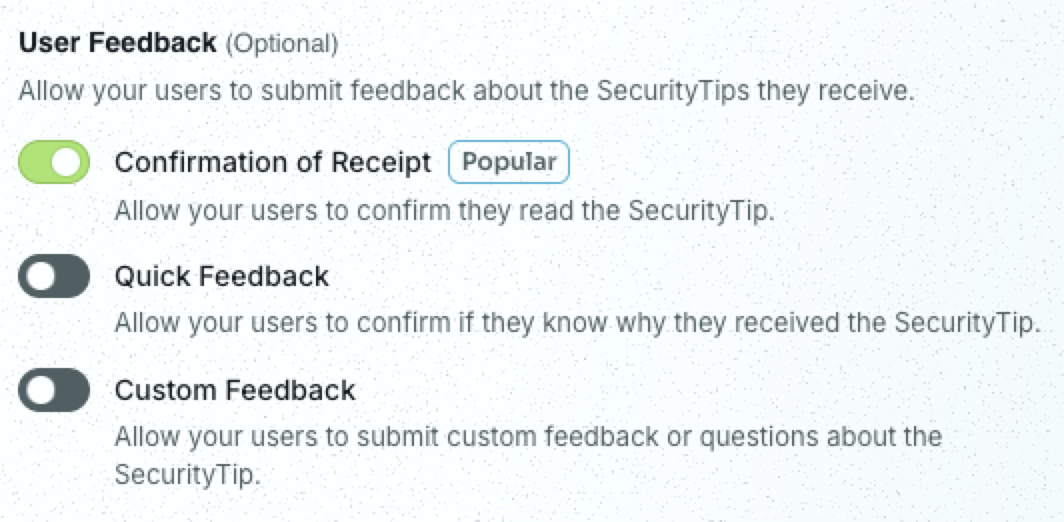
- Confirmation of Receipt: Allow your users to confirm they read the SecurityTip.
- Quick Feedback: Allow your users to confirm if they know why they received the SecurityTip.
- Custom Feedback: Allow your users to submit custom feedback and questions about the SecurityTip.
User Feedback Activity Reports
When any user feedback is enabled for your Real-Time Coaching category, you can view your users’ responses in the category’s Feedback Activity subtab. To view these responses, navigate to Coaching > Real-Time Coaching, select the name of a category, then select the Feedback Activity subtab.
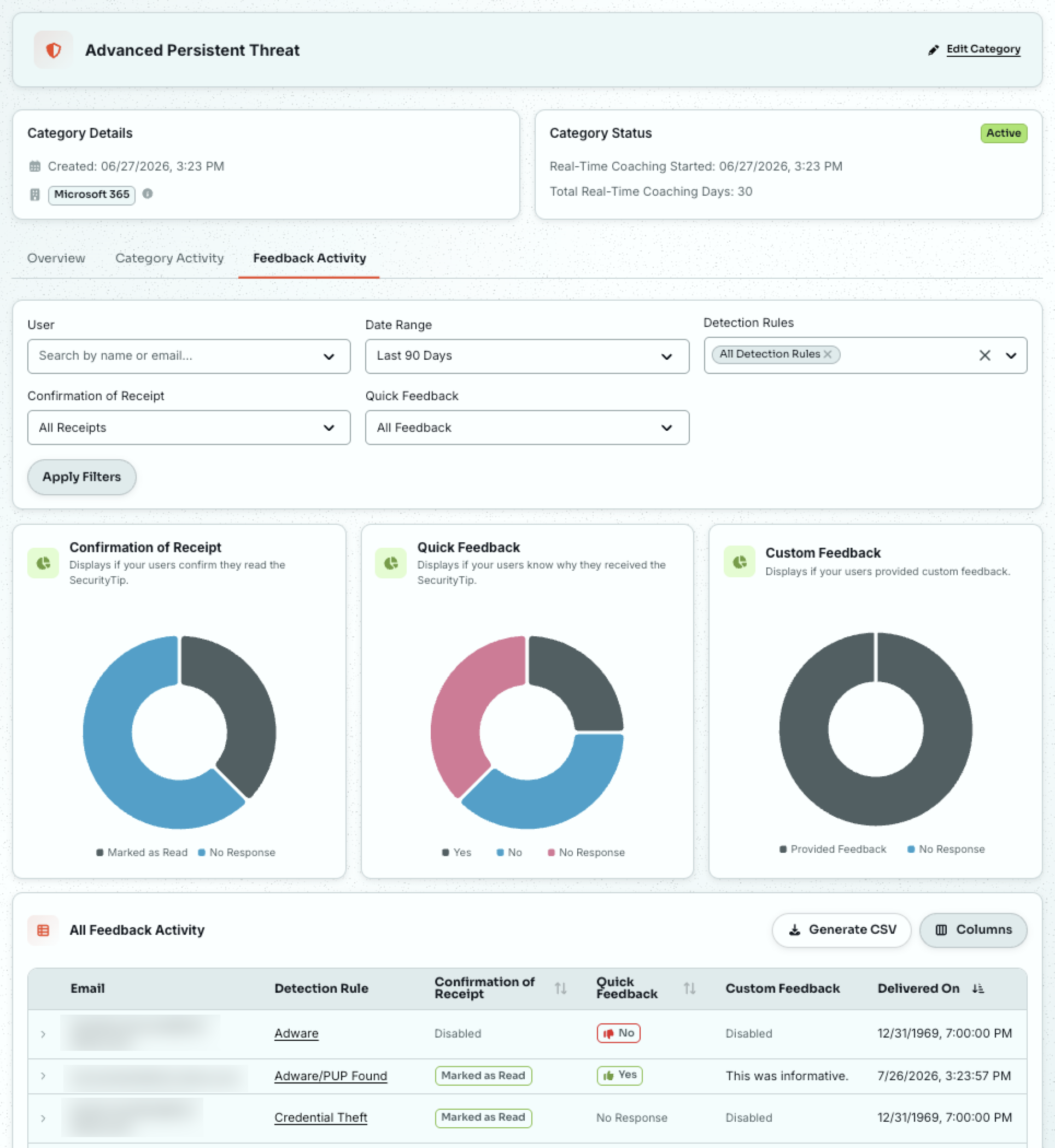
Here, you can use filters to customize and generate reports for your user feedback. For more information on these reports, see our Real-Time Coaching Campaigns Guide.
User Experience
While configuring detection rules or categories, the SecurityTip Preview window lets you see what a SecurityTip will look like with your selected user feedback. For more information, see our Detection Rules Guide and Real-Time Coaching Categories Guide.
To view an example SecurityTip with all user feedback enabled, see the screenshot below:
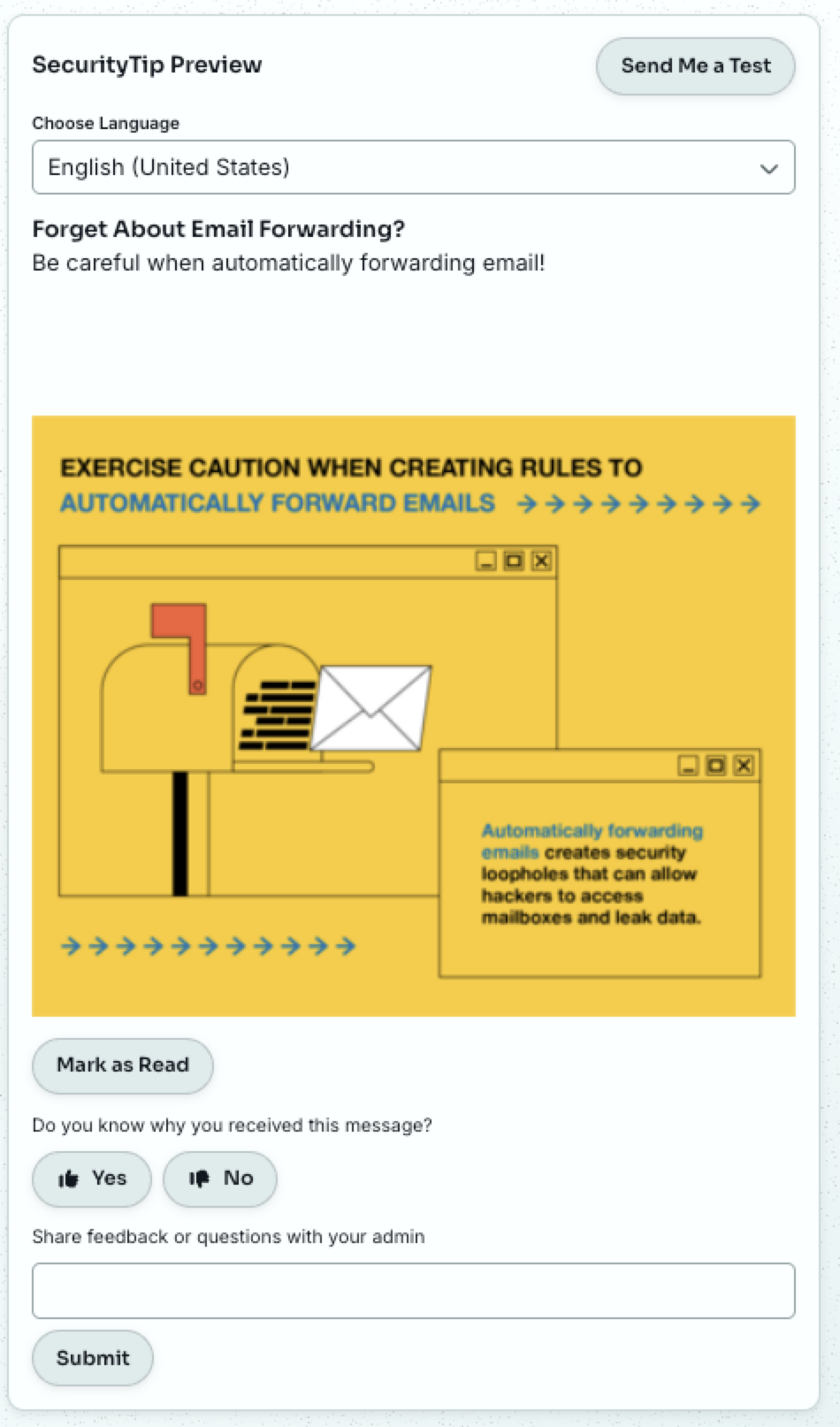
For more information on your users’ experience, see our learner support article.