KnowBe4 has partnered with Synthesia to help you build professional, AI-powered videos. The AI video builder is available for Platinum, Diamond, AIDA, SAT Foundation, and SAT Advanced subscriptions. You’re eligible for a complimentary one-year Synthesia Starter Plan, and you can export your finished videos straight to your KnowBe4 content library.
This guide walks you through finding the feature in the platform and claiming your complimentary Synthesia Starter license.
Important: The complimentary Synthesia Starter Plan is subject to the following eligibility requirements:
- You do not currently have a Synthesia account (paid or free). If you already have a Synthesia account and encounter a payment screen, contact Synthesia support for assistance.
- Your organization has not previously claimed a Synthesia Starter Plan through KnowBe4. Only one plan is available per KnowBe4 customer account. If your Synthesia account was disconnected or archived, you can claim a new Starter Plan from the Synthesia Integration section of your KnowBe4 console.
- You are a current, active KnowBe4 customer. Synthesia verifies your eligibility automatically during the claim process.
What's Included
Your complimentary Synthesia Starter Plan includes:
- 120 minutes of video content
- 125+ AI avatars to present your training
- Three personal avatars you can customize for your brand
- One-year complimentary subscription
Getting Started
To get started with Synthesia, follow the steps below:
- Log in to your KnowBe4 console and navigate to the ModStore tab.
-
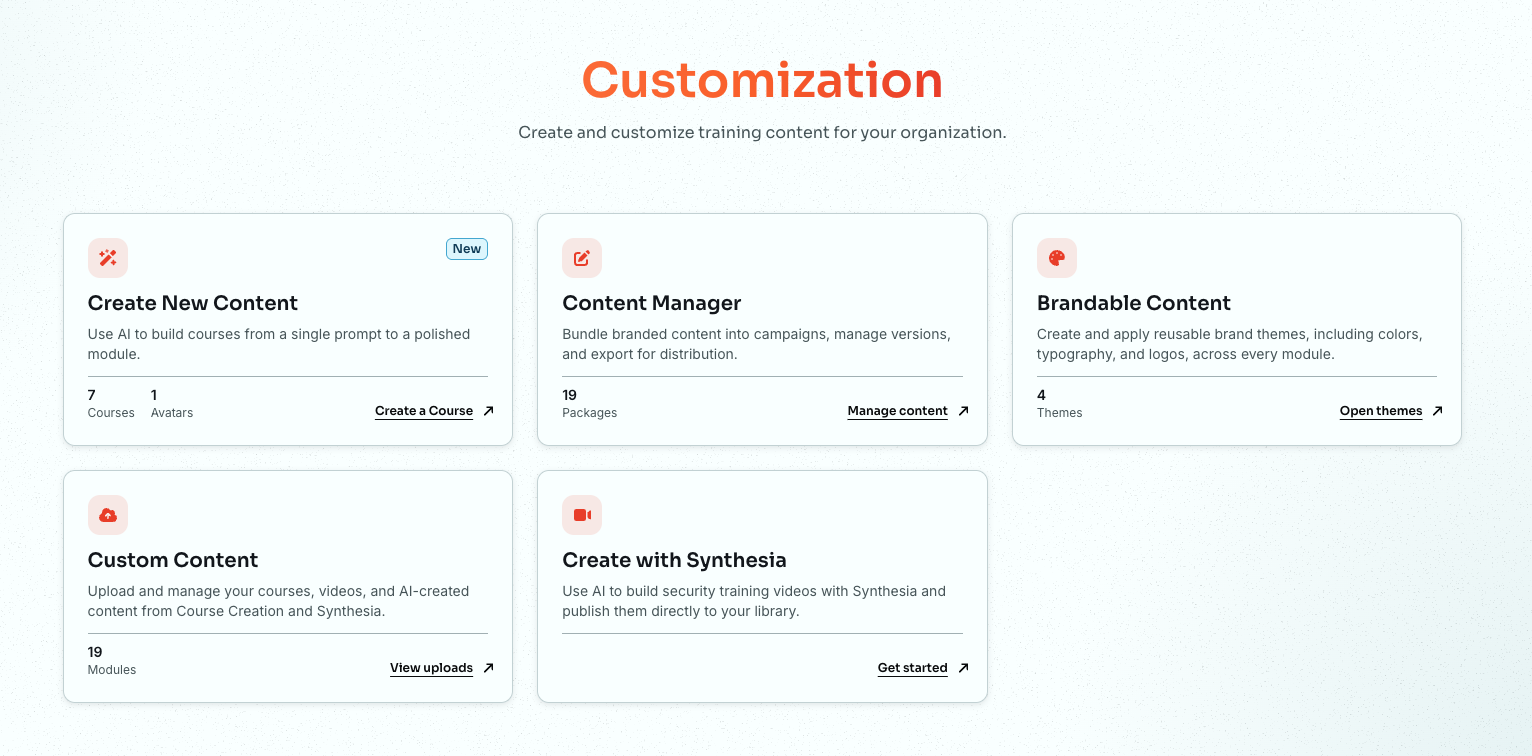
Then select Customization from the side menu. This action will open the Customization page.
-
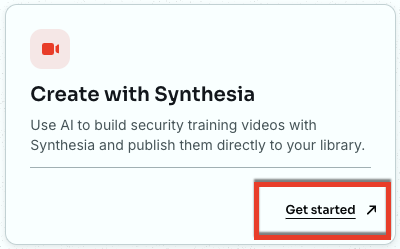
On the Create with Synthesia card, click Get started.
-
The KnowBe4 + Synthesia page opens, showing a summary of what's included in your complimentary plan. Take a moment to review the details before claiming your license.
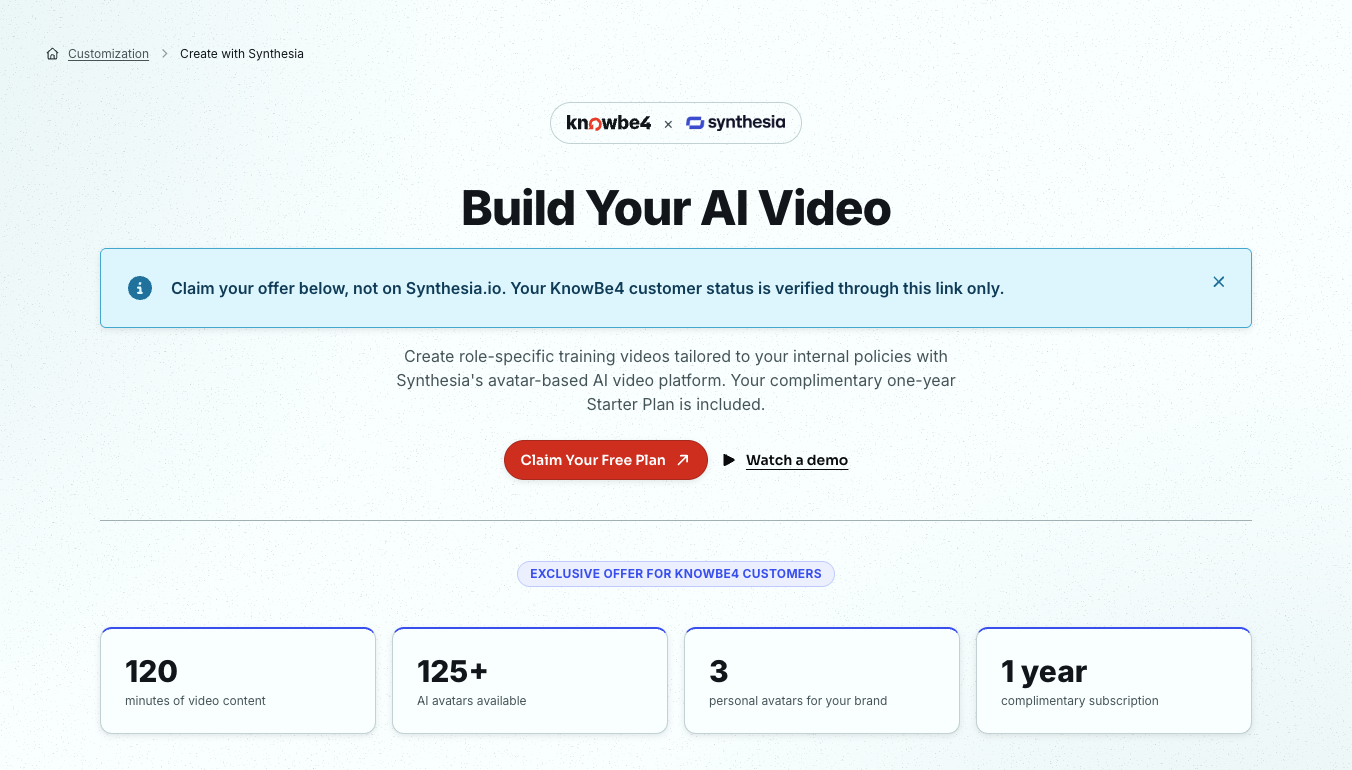
- When you're ready, click Claim Your Free Plan.
For more information, see the Claiming Your Free Synthesia Starter License section below. You can also click Watch a demo if you would like to see Synthesia in action first.
Claiming Your Free Synthesia Starter License
To claim your free starter license, follow the steps below:
-
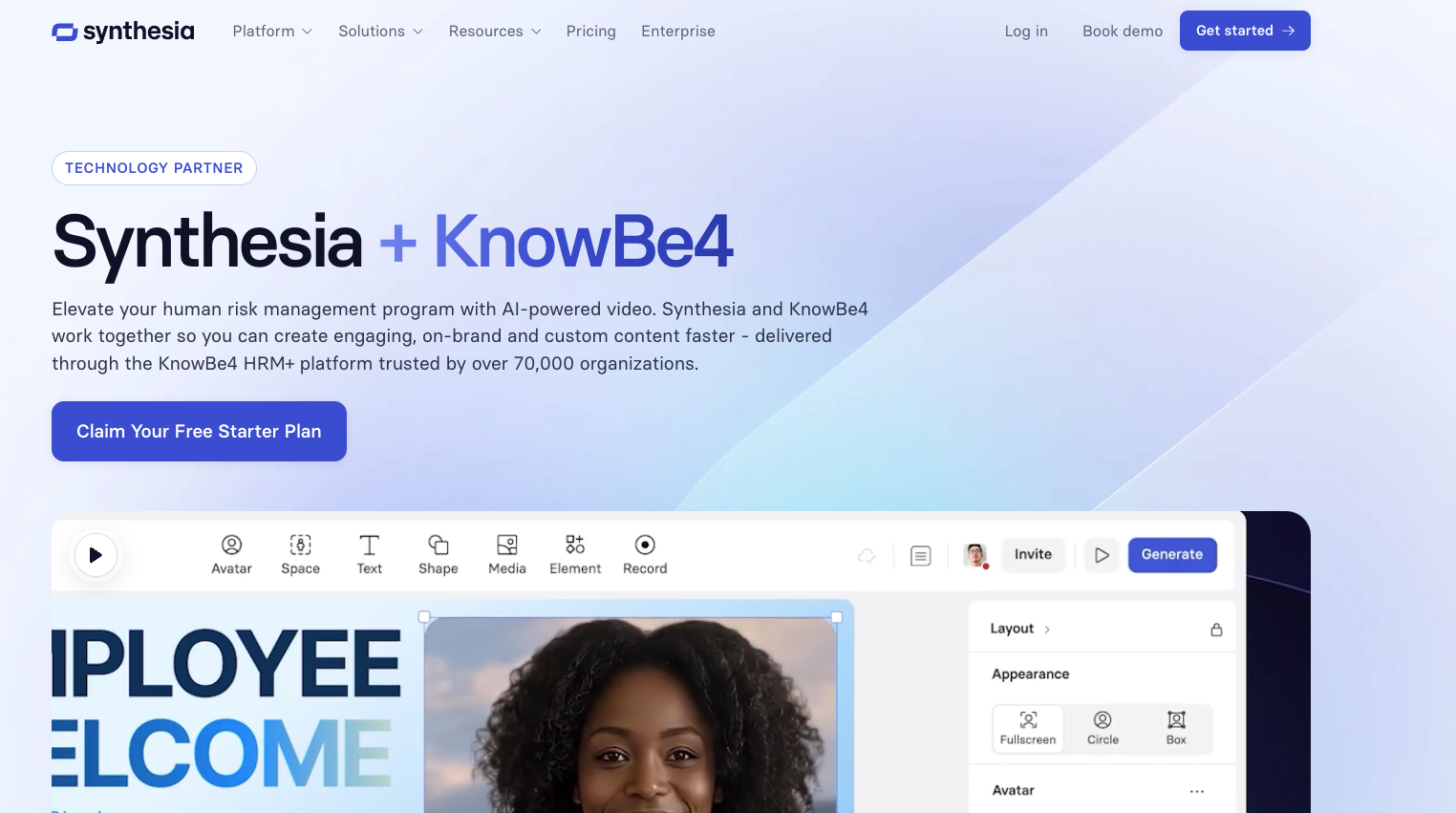
Once you decide to claim your free plan, you are taken to the Synthesia + KnowBe4 page on the Synthesia website.
-
Click Claim Your Free Starter Plan. A form will appear to verify your KnowBe4 customer status. To learn more about the options in this section, see the screenshot and the list below:
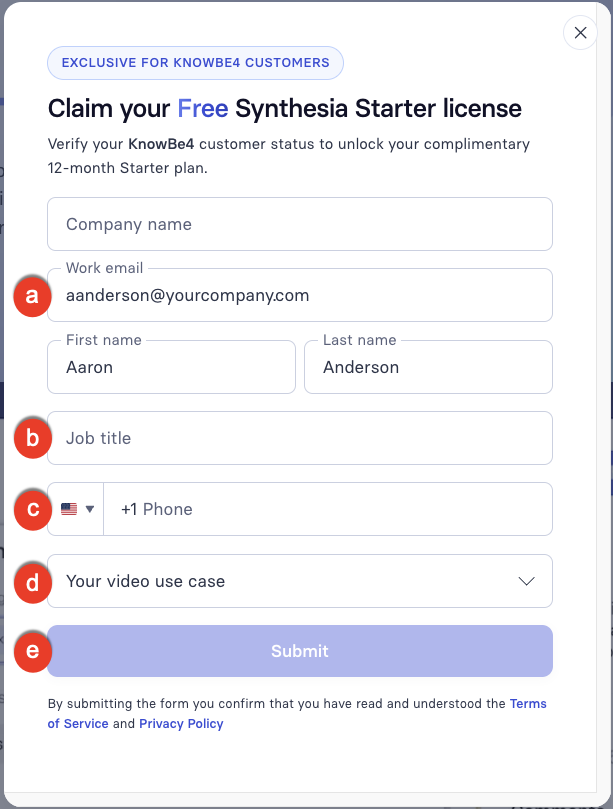
- Company name, Work email, and First name and Last name: We will populate these fields automatically with information from your KnowBe4 account when you are redirected.
- Job title: Enter your job title.
- Phone number: Enter the phone number for your organization.
- Your video use case: Select the option that best describes your training goals.
- When all fields are complete, click Submit.
Synthesia will verify your KnowBe4 customer status and activate your Starter Plan. No credit card is required.
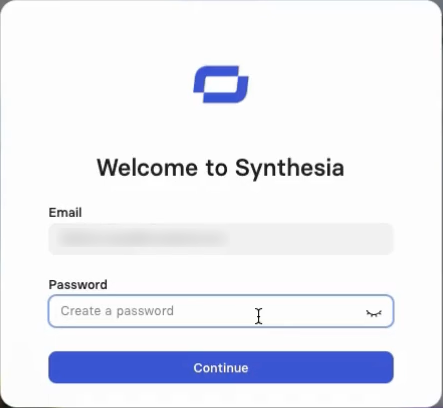
You will be required to enter your work email and your name again. It will also be required to create a password.
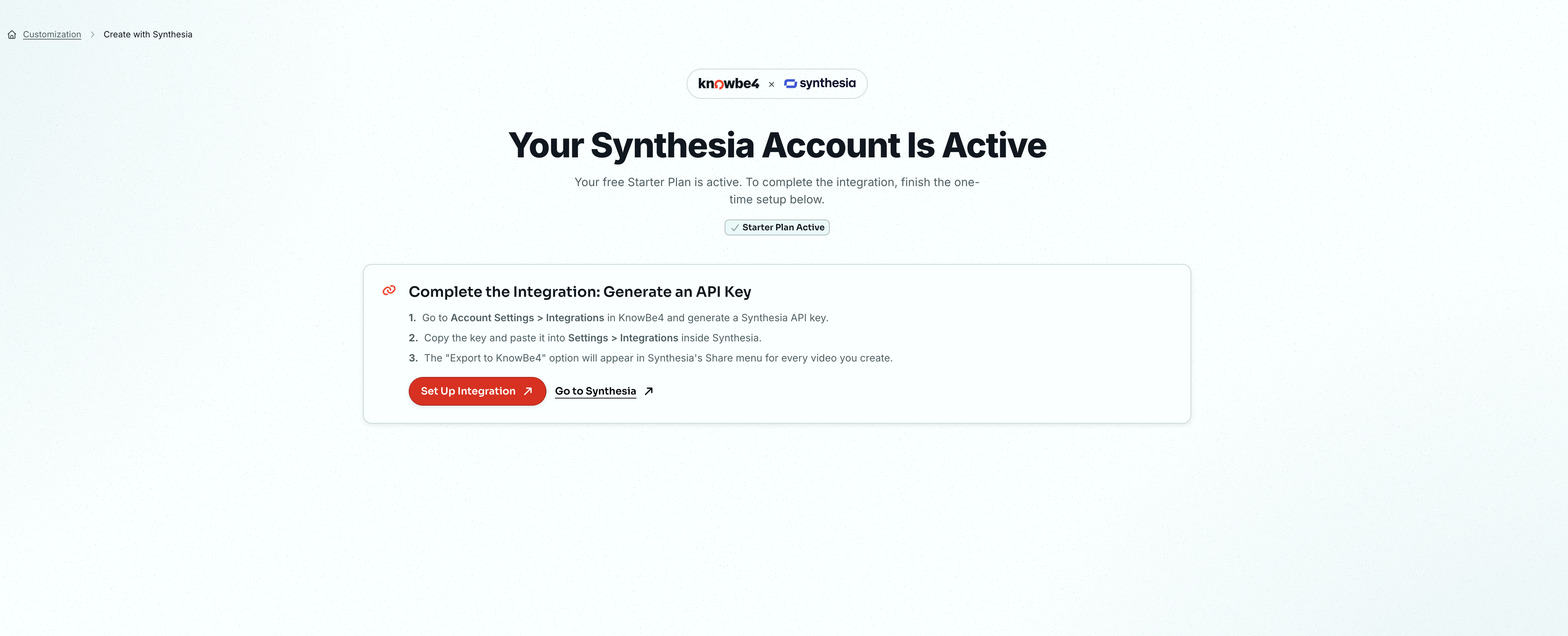
At this point, you can create a video, download it, and then upload it to your KnowBe4 console. However, we recommend connecting your Synthesia account to your KnowBe4 console. This process will allow you to export a video directly from Synthesia, saving you a few steps.
For more information on connecting your accounts, see the Generate an API Key section below.
Generate an API Key
To export a video directly from Synthesia to your KnowBe4 console, you will need to connect them using an API key. To generate an API key, follow the steps below:
- In your KnowBe4 console, go to Account Settings > Account Integrations.
- Then click Synthesia Integration.
-
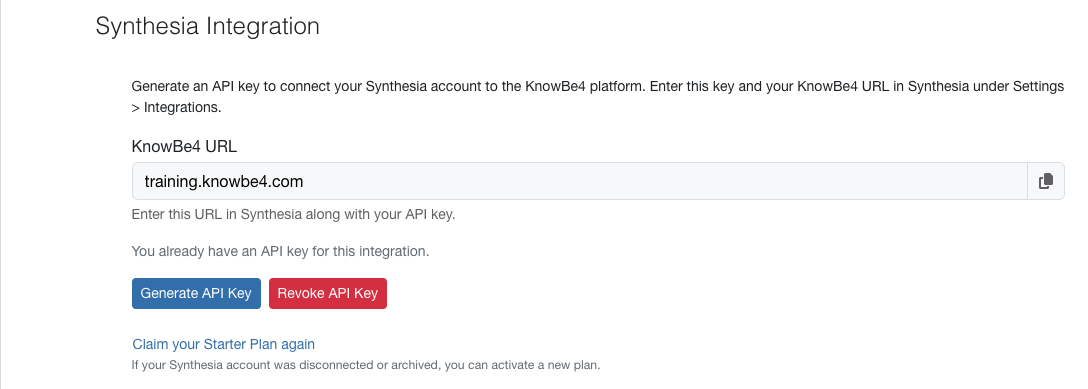
To learn more about the options in this section, see the screenshot and the list below:
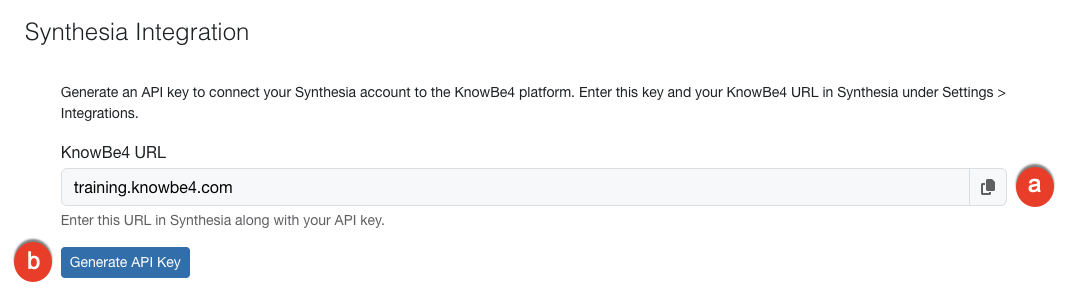
- KnowBe4 URL: Copy the KnowBe4 URL. You will need to enter this in the Account Settings in Synthesia.
-
Generate API Key: Click this button to generate the API key you will need to add to your Synthesia account.
-
After the API Key is generated, click the copy icon to copy the key. If you ever need to revoke the key, click Revoke API Key.
Important: Store the API Key in a secure location, as it will not be displayed again after you leave this page. - If your Synthesia account was disconnected or archived, click Claim your Starter Plan again, then follow the steps in the Claiming Your Free Synthesia Starter License section to activate a new Starter Plan.
Add the KnowBe4 URL and API Key to Your Synthesia Account
To add the KnowBe4 URL and API key to your Synthesia account, follow the steps below:
-
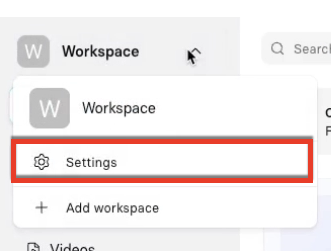
Log in to your Synthesia account, then go to Workspace > Settings.
-
From the side menu, select Integrations. To learn more about the options in this section, see the screenshot and the list below:
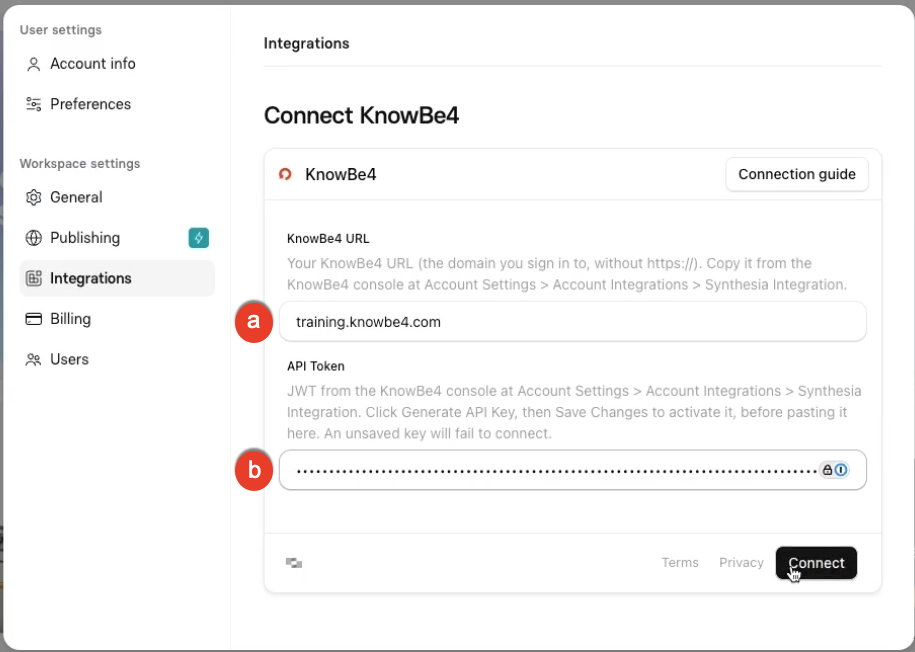
- KnowBe4 URL: Paste the URL that you copied from the Synthesia Integration section in the KnowBe4 console Account Settings.
- KnowBe4 API Key: Paste the API key that you copied from the Synthesia Integration section in the KnowBe4 console Account Settings.
- Click Connect. You will now be able to export videos directly from Synthesia to the Custom Content section in your KnowBe4 console.
Create Videos with Synthesia
Now that you have fully set up your Synthesia account and linked it to your KnowBe4 console, you're ready to start generating your AI videos.
To learn more about the options in this section, see the screenshot and the list below:
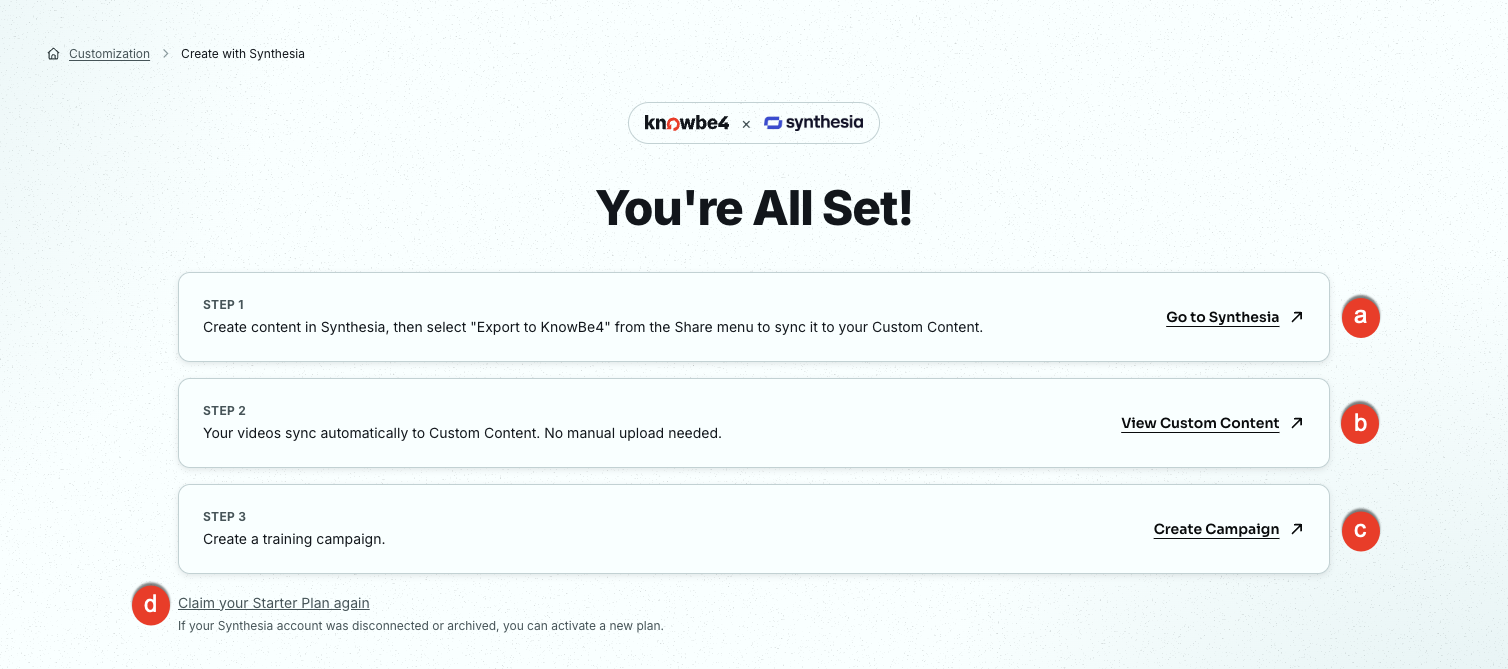
- Go to Synthesia: Click this link to go to Synthesia and generate a video.
- View Custom Content: Click this link to view any videos you have created in the Custom Content page. For more information, see our Upload Custom Training Content article.
- Create a Campaign: Click this link to create a training campaign. For more information, see our Training Campaigns Guide.
- Claim your Starter Plan again: Click this link if your Synthesia account was disconnected or archived. You can then activate a new Starter Plan.
You can log in to Synthesia and start creating training videos. Follow the instructions on Synthesia's website for creating your first video.
Export Your Synthesia Video to Custom Content
To export your Synthesia video to Custom Content, follow the steps below:
- Log in to your Synthesia account, then go to Workspace > Videos. Either generate a video or select one you have already created.
-
Click Share in the upper-right corner. This button will open the Share video panel.
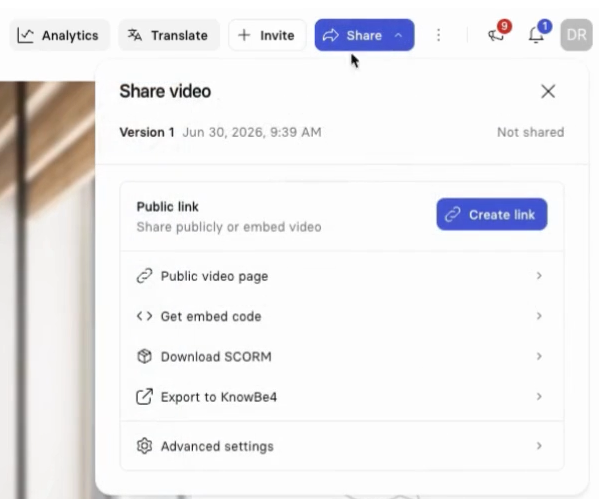
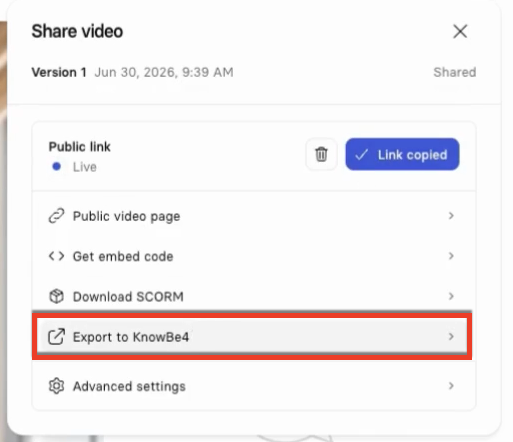
- Under the Public link section, click Create link. The button will change to Copy link. Click that button.
-
Click Export to KnowBe4.
- Return to your KnowBe4 console and go to ModStore > Customization.
- Click View Uploads on the Custom Content card to view a list of your videos. You will see your video at the top of the list.
Frequently Asked Questions
The questions below cover billing, video retention, and data security for the Synthesia integration.
What Happens When My Complimentary 12-Month Starter Plan Expires?
At the end of the 12 months, Synthesia will prompt you to enter a credit card to continue on a paid plan. If you choose not to upgrade, you can downgrade to a Synthesia Basic (free) plan. For steps, see Synthesia's downgrade instructions.
What Happens to My Videos if I Downgrade to the Basic (Free) Plan?
If you downgrade to the Basic plan, any videos you created during the Starter Plan remain accessible as long as the account stays active. Videos you already exported to Custom Content stay playable for your users as long as the Synthesia account remains active.
Your editing options may be restricted. Any video built with features the Basic plan does not include, such as interactive elements, may no longer be editable. New videos you create are subject to the Basic plan minute limits.
What Happens if I Deactivate My Account?
If you deactivate your account, any videos you created are deleted from Synthesia's servers. If you deactivate your account by mistake or it is archived, click Claim your Starter Plan again in the Synthesia Integration section of your KnowBe4 console. See the Create Videos with Synthesia section for more information.
Any videos you already exported to the KnowBe4 platform as SCORM packages will stop working once the account is deactivated.
Before you downgrade or deactivate your account, export any videos you want to keep from Synthesia as .mp4 files.
The Export to KnowBe4 button is only available on paid plans and the KnowBe4 12-month Starter Plan. It is not available on the Basic plan.
You still retain full intellectual property ownership of all content you create on Synthesia's platform. For the specific language, see the Ownership and Property Rights section of Synthesia's Customer Terms of Service.
Can Synthesia Use the Documents or Policies I Upload to Train Its AI Models or Share Them Externally?
No. Synthesia does not use customer-provided content, such as scripts, policy documents, and reference materials, to train its AI models, and does not share this content externally.
Where Is My Content Stored, and How Is It Protected?
Synthesia stores customer data, such as scripts, audio files, and video files, on Amazon Web Services (AWS) infrastructure in Ireland, with backups in AWS Frankfurt. Both are EU data centers. Video delivery uses Mux, a US-based content delivery network (CDN). Some AI processing subprocessors are US-based, but all are covered by EU Standard Contractual Clauses (SCCs).
Once you export a video to the KnowBe4 platform, the SCORM package is hosted on KnowBe4's infrastructure and covered by our security and data protection policies. Playback still depends on an active Synthesia account. EU customers on eu.knowbe4.com are covered by KnowBe4's EU infrastructure.
Synthesia encrypts your data at rest (AES-256) and in transit (TLS 1.2 and later). Synthesia is SOC 2 Type II certified, ISO/IEC 42001 certified, and General Data Protection Regulation (GDPR) compliant.