If you have access to SecurityCoach, you can send Training Notifications to your users via Slack, Microsoft Teams, or Google Chat. You can set up SecurityCoach integrations with Slack, Microsoft Teams, and Google Chat to be used as delivery methods for SecurityTips. Since SecurityCoach is a product within the KSAT console, you can use these same integrations to send your users notifications about their assigned training.
Once your SecurityCoach delivery methods have been set up, you can select the delivery method wherever you set up a training notification. You can set up training notifications when you create a new training campaign or edit an existing training campaign. You also have the option to send manual notifications from the campaign Overview or Users subtabs. The gif below shows the three areas of the console where you can set up training notifications.
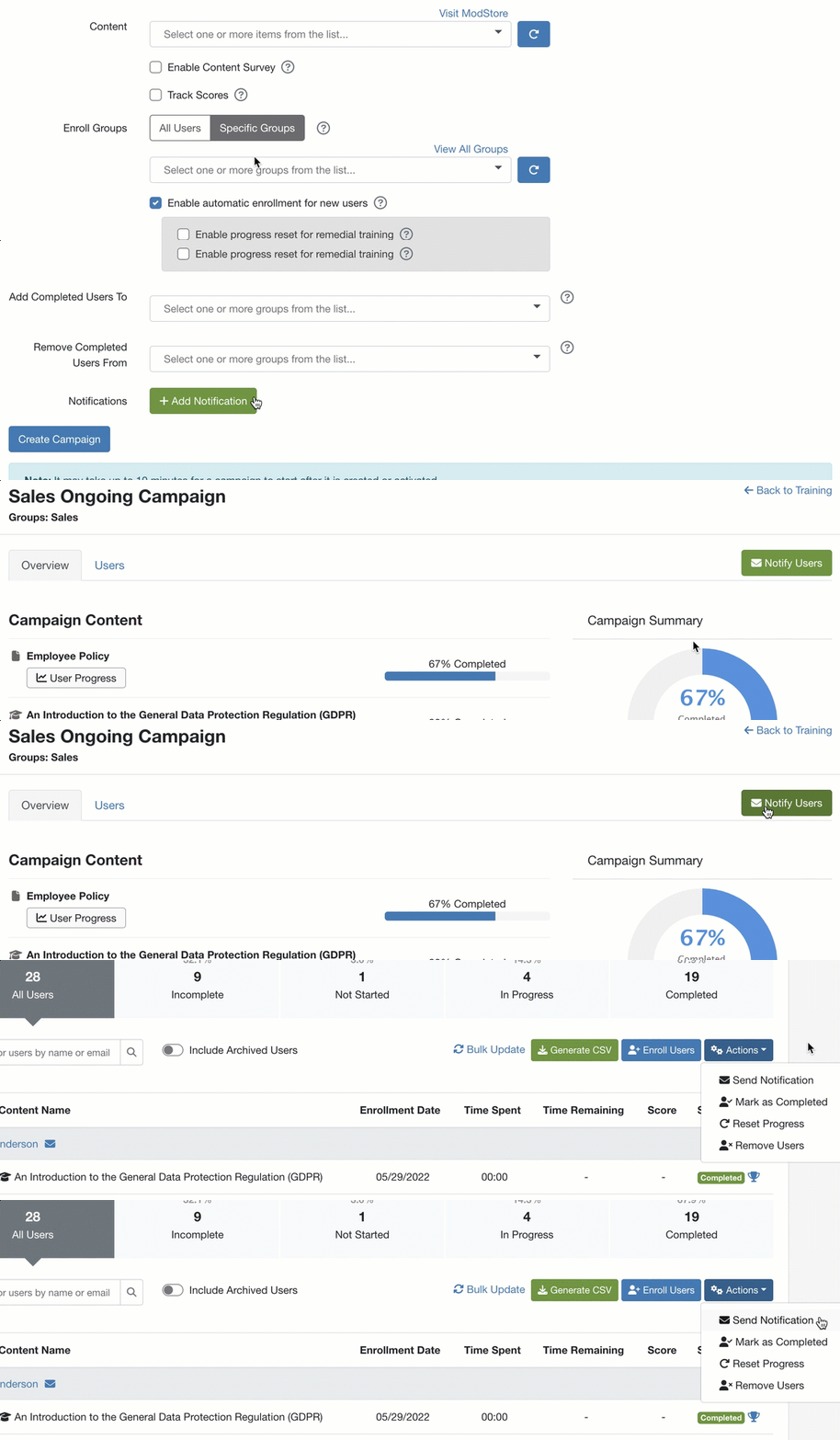
To send a training notification using your SecurityCoach delivery method, follow the steps below:
- Navigate to one of the areas in the console where you can set up training notifications.
- Click on the applicable button to add new a training notification.
- From the top of the training notification section, select your preferred delivery method.
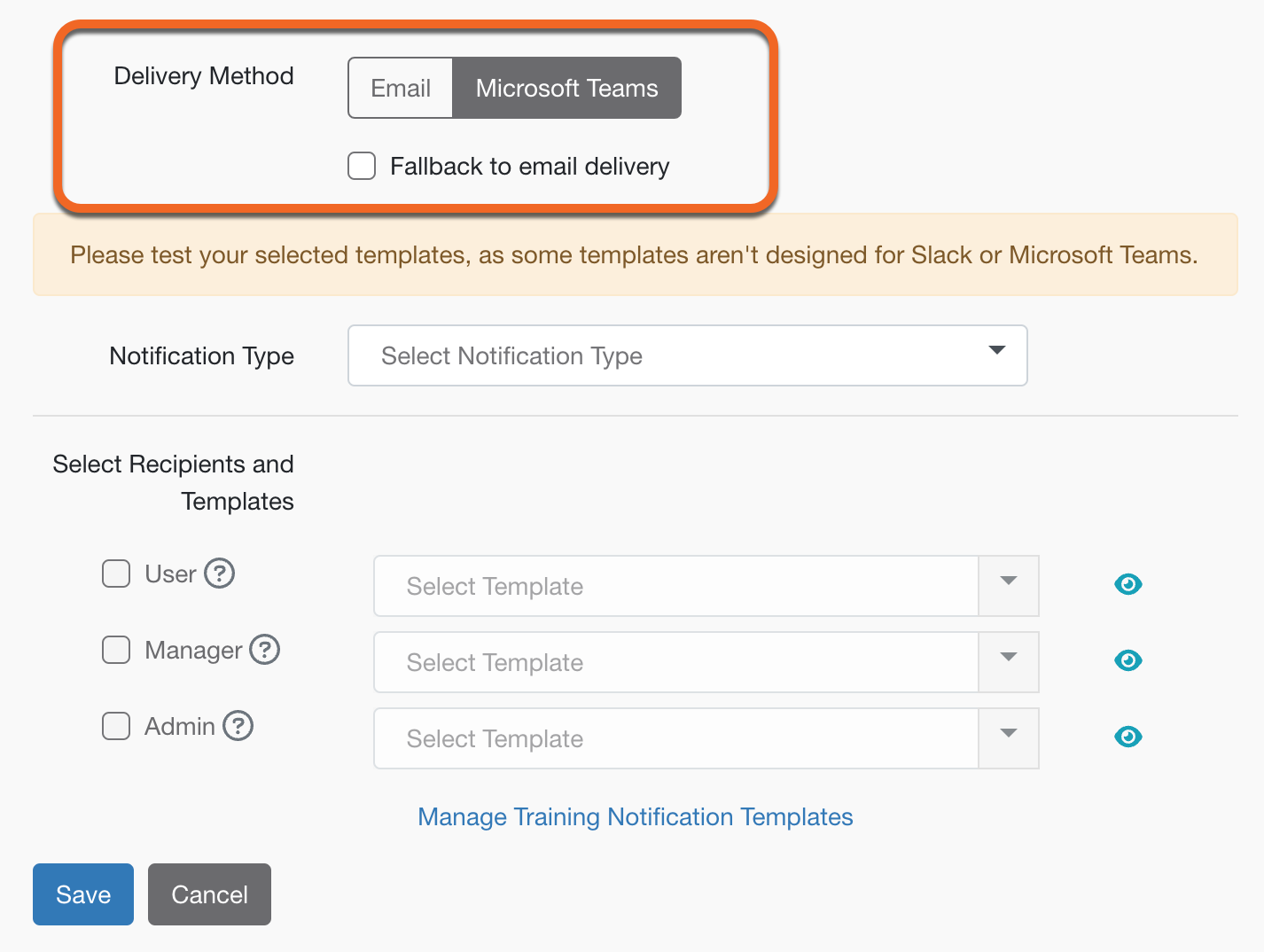
- We recommend selecting the Fallback to email delivery option. When this option is enabled, notifications will be used as a backup delivery method if your primary delivery method is unavailable.
- Select your notification type.
- Select the recipient types and specific notification templates.
Important:Not all training notification templates are optimized for Slack and Microsoft Teams. We recommend setting up a training campaign assigned to select admins to test your selected notification templates before sending them out to your users.
- Click Save.
For more information about training notifications in general see our Training Campaign Notifications article.