You can integrate SaaSAudit SaaSAudit (link opens in new window) into your KSAT console. SaaSAudit is an AI-native compliance platform that helps startups and growing SaaS organizations achieve SOC 2 compliance. This integration brings KSAT training results into the SaaSAudit platform, automating evidence collection for security awareness training, simplifying compliance workflows, and enabling you to track training outcomes for each KSAT campaign synced with SaaSAudit. Once the integration is complete, SaaSAudit will automatically recognize KnowBe4 as your default security awareness training provider.
Before You Connect SaaSAudit to Your KSAT Console
Before integrating SaaSAudit into your KSAT console, you must have at least one training campaign with a status of Created, Pending, Active, or Closed.
You must also find your API address and create a Reporting Event API key. Follow the steps below to do both actions.
-
Your API address depends on where your KnowBe4 account is located. Please see the table below to find the API address for your region.
Region Base URL US https://us.api.knowbe4.com CA https://ca.api.knowbe4.com EU https://eu.api.knowbe4.com UK https://uk.api.knowbe4.com DE https://de.api.knowbe4.com - Log in to your KSAT console as an admin.
- Navigate to Account Settings in the top-right corner under your account’s email address.
- In Account Settings, navigate to Account Integrations.
- Under Account Integrations, navigate to API > Reporting API.
- On the Reporting API tab, select the + Create New API token button to open the API token creation screen.
- Enter a name for the token, then select Create Token.
- Please save this API token for the steps below.
Connecting SaaSAudit to Your KSAT Console
You can connect your SaasAudit platform to your KSAT console by following the steps below.
- Log in to your SaaSAudit platform as an admin.
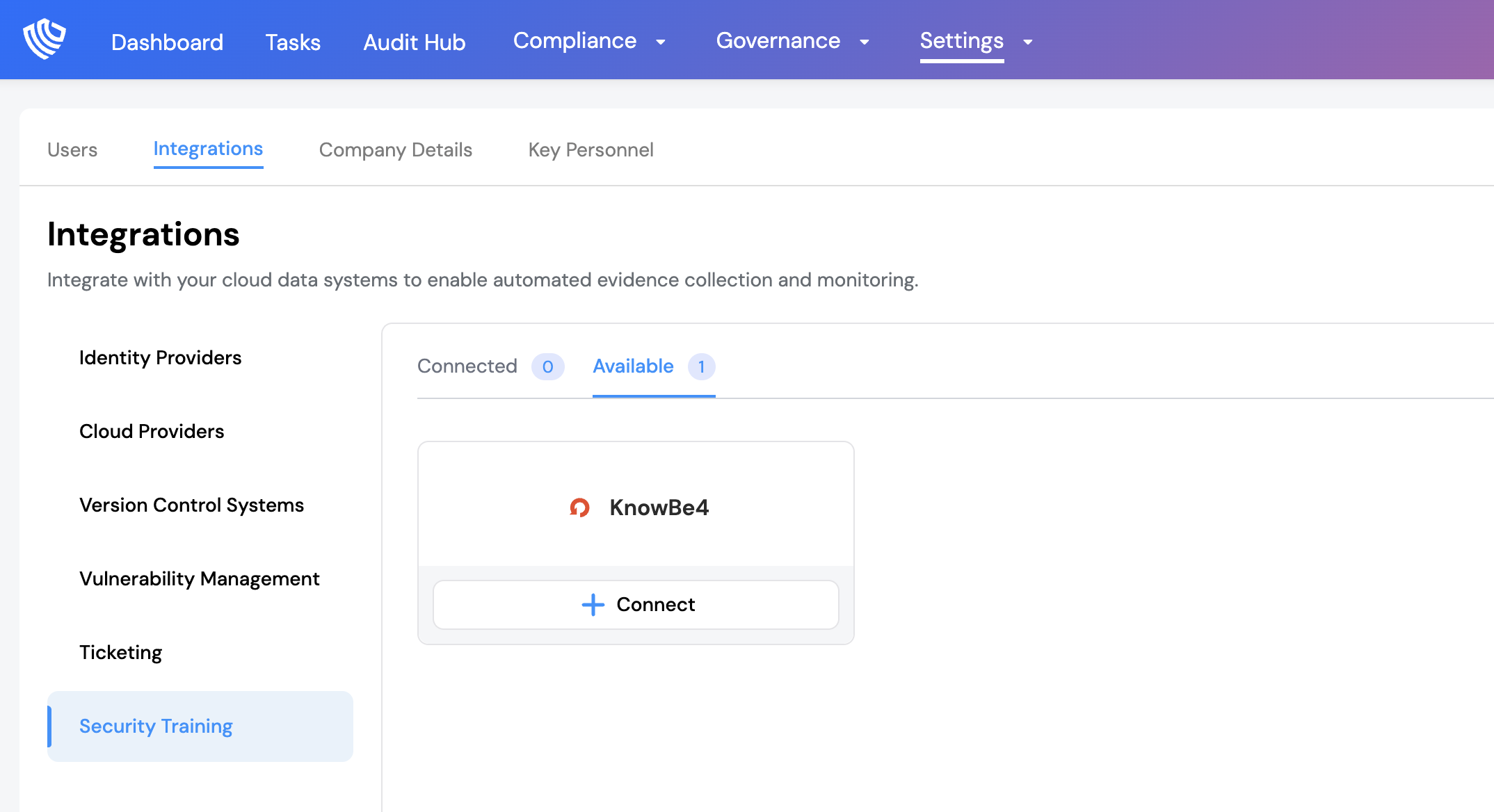
- Navigate to Settings > Integrations.
- In the Security Training section, navigate to the Available tab.
- Locate KnowBe4 under Security Training and select Connect.
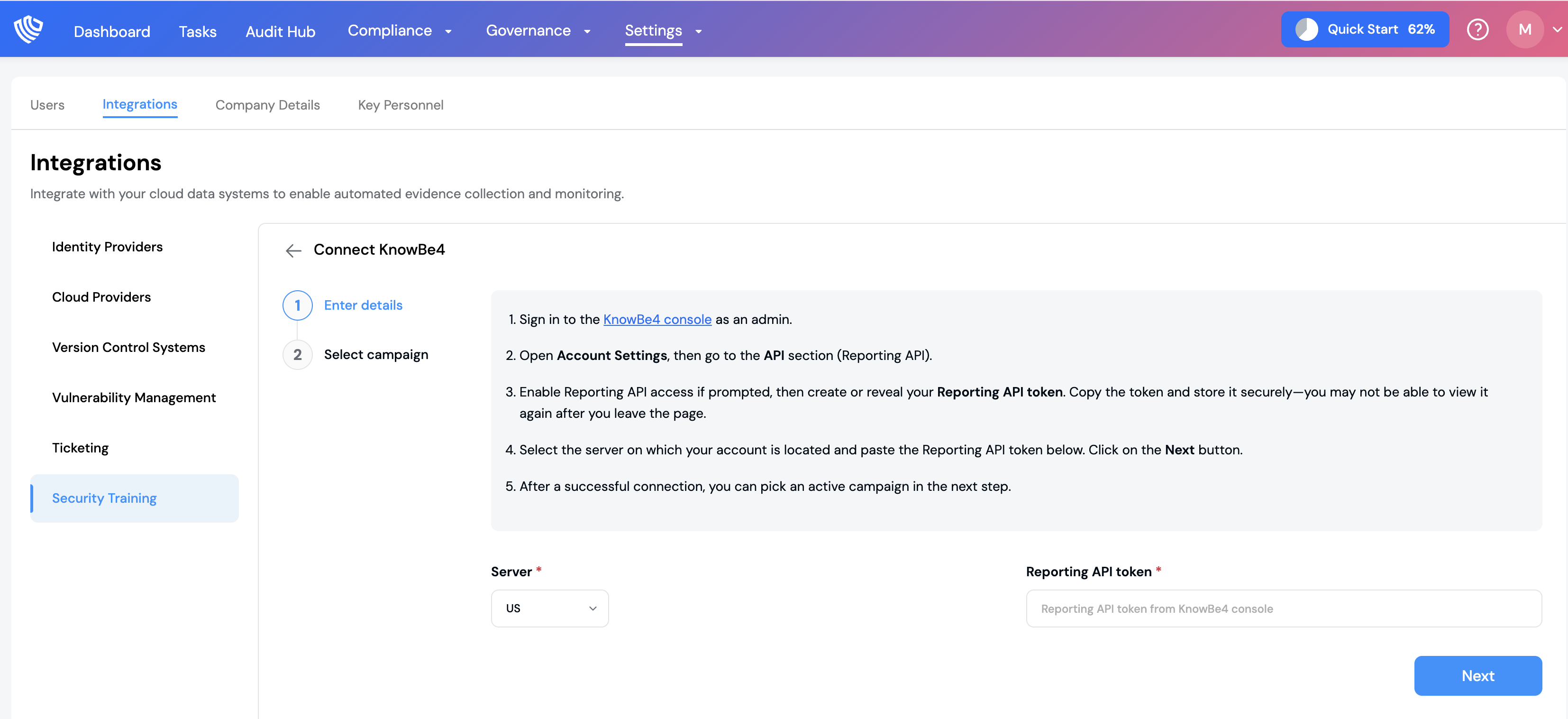
- Paste your Reporting API key and select your Region from the previous step. For example, if your KSAT account is in the US, you would select US.
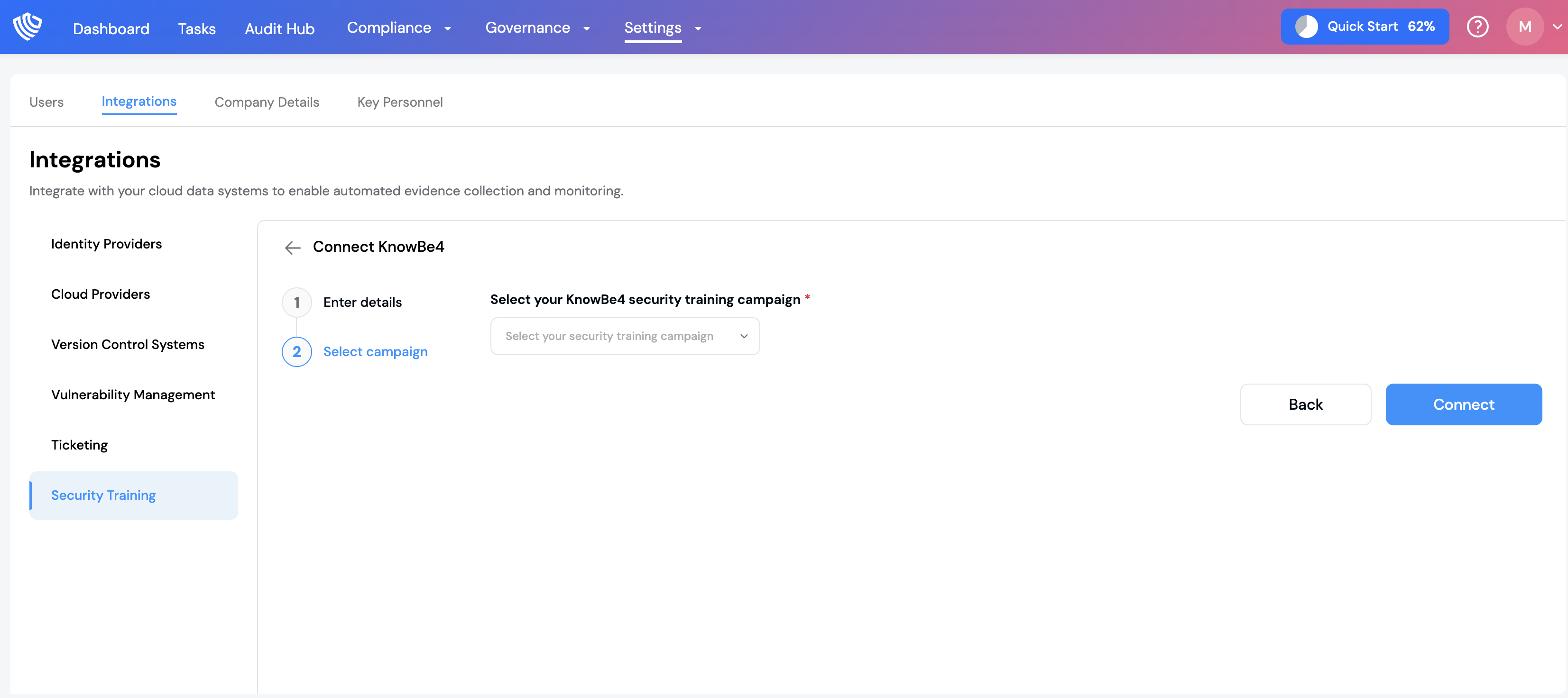
- Select Next to proceed to Select Campaign.
- Select the training campaigns you want to integrate from the drop-down menu.
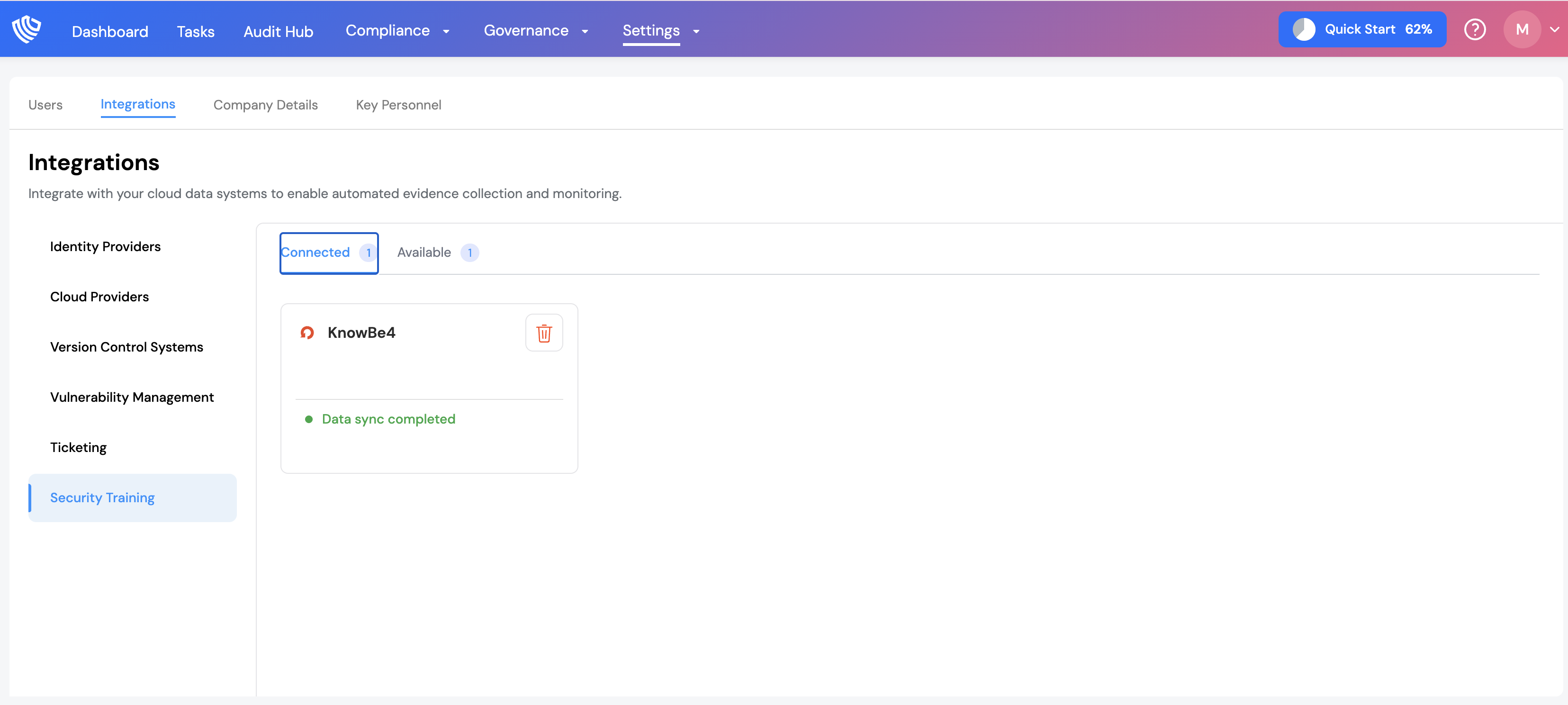
- Select Save. The integration status will update from Data sync in progress to Data sync completed.
SaaSAudit will then retrieve campaign status for all enrolled users and verify completion across all modules, which determines pass/fail outcomes and automatically generates audit-ready evidence.