If you deployed Defend via the deployment center (DC) in January 2025 or later, you’ll need to update your existing Microsoft Exchange transport rules. These updates change the spam-detection logic to identify the recipient instead of the sender. Because KnowBe4 does not have access to your environment, you must manually update these rules to ensure that spam detection continues to function correctly.
Why You Need This Update
Defend uses the X-Egress-Defend-SCL header to classify incoming mail. Your Microsoft Exchange transport rules are designed to read this header and apply the corresponding spam confidence level (SCL) value.
Currently, transport rules configured through the DC check if the sender is a member of the Defend_Users group (FromMemberOf). To function correctly for inbound mail returning from Defend, these rules must instead check if the recipient is a member of that group (SentToMemberOf).
These rules preserve Microsoft's original SCL for the message after it returns from Defend scanning. Updating these conditions ensures the rules fire correctly for inbound mail arriving at protected users' mailboxes.
Updating the Rules
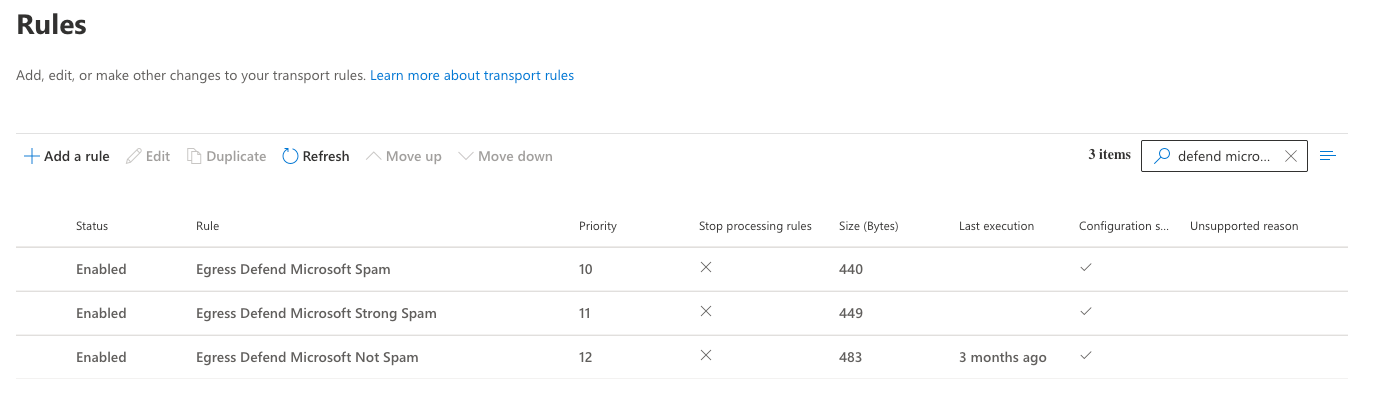
You’ll need to update the following three transport rules:
- Egress Defend Microsoft Spam
- Egress Defend Microsoft Strong Spam
- Egress Defend Microsoft Not Spam
To update a rule, follow the steps below:
- Log in to your Microsoft Exchange Admin Center.
- In the menu on the left side of the page, navigate to Mail flow > Rules.
-
Select the transport rule you want to edit (for example, Egress Defend Microsoft Spam).
- Click Edit rule conditions (or Edit).
-
Locate the condition that references the group and note the full email address of that group.
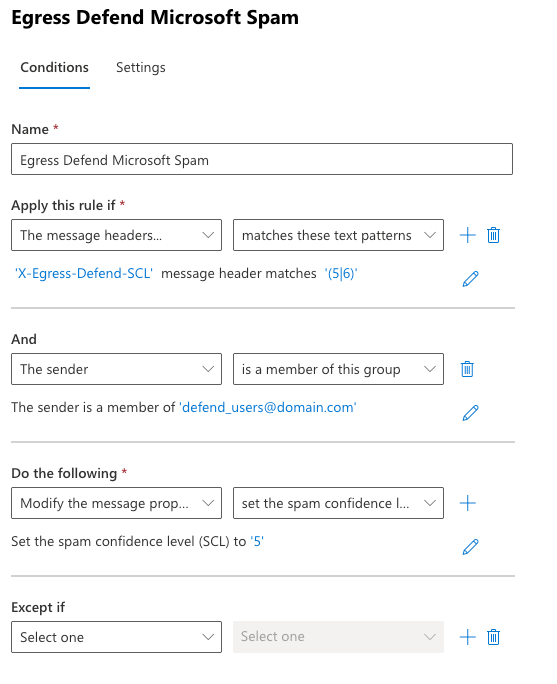
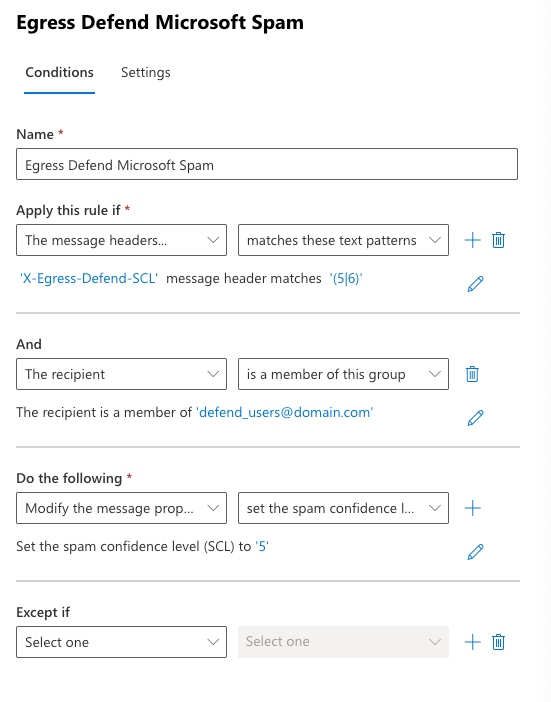
- From the condition’s first drop-down menu, change The sender to The recipient.
-
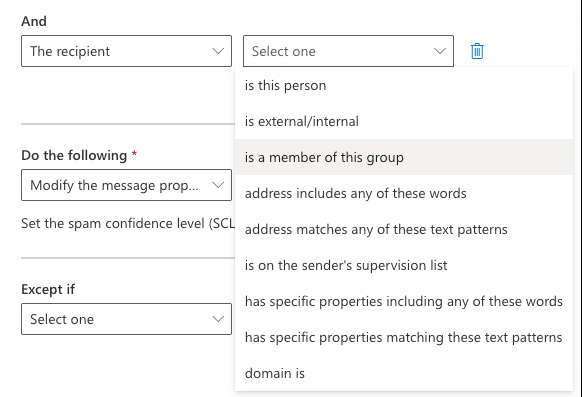
From the condition’s second drop-down menu, select is a member of this group.
-
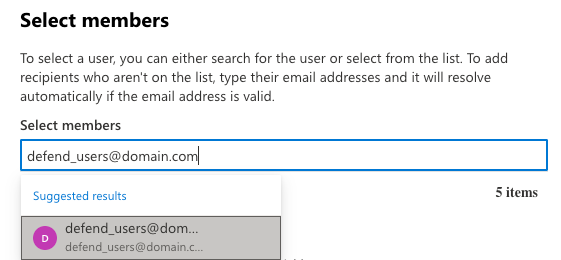
In the pop-up window, enter the group email address you noted in step 5. Then, select the matching entry from the list.
-
Confirm that the rule now specifies that the recipient is a member of the group.
- Click Save and wait a few seconds for the changes to apply.
-
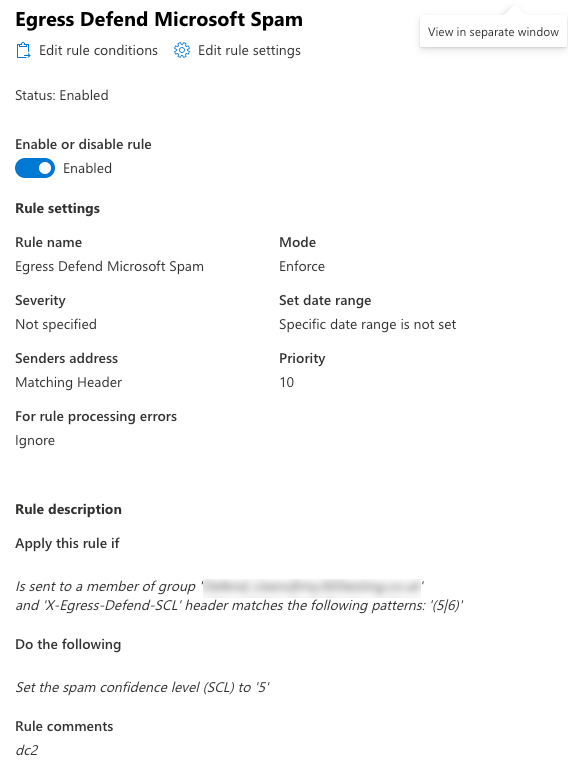
Reopen the rule to confirm that the updated condition was saved correctly.
- Repeat steps 1-11 for the remaining transport rules:
- Egress Defend Microsoft Strong Spam
- Egress Defend Microsoft Not Spam