This guide shows you how to adjust your personal preferences for Workspace. You will learn how to adjust settings such as email notifications, manage active login sessions for security, and select your preferred online document editor.
The Manage Preferences page allows you to adjust your preferences for Workspace. To access this page, click on your user icon and select Manage Preferences.
Communication Preferences
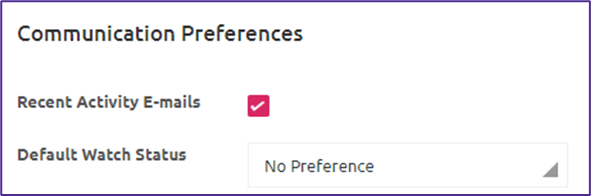
You can opt in or out of receiving recent activity emails from Workspace by using the Recent Activity Emails check box. You can also change your Default Watch Status using the drop-down menu and choosing between Watching, Not Watching, and No Preference.
Sessions
You can alter the Inactivity Timeout from five minutes to a maximum of 120 minutes using the drop-down options. The default and recommended timeout is 15 minutes.
This section also allows you to view the IP address and date, and time of your current, active, and past sessions. If you see any active sessions that you believe to be suspicious or you don't recognize, you can click End All Active Sessions or click End Session against an individual occurrence.
Online Document Editor
The drop-down menu allows you to choose a specific document editor. No Preference will result in your choosing which editor to use every time you open a file.