Note: This article has recently been added to our Knowledge Base. Thank you for your patience as we continue to make improvements.
Tags are a great way to keep your files organized in Workspace, making them much easier to find later. This guide will show you how to add or edit tags on your files, either when you upload them or at any point afterward.
To tag a file during upload, follow the steps below:
- In the upload window, type your keywords into the Add Tags box at the bottom of the window.
- Select Upload.
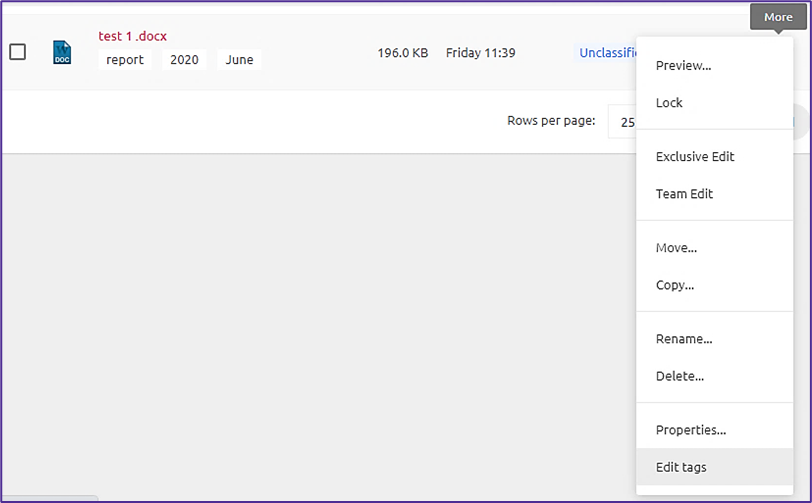
- Once a file is uploaded, the tags will be displayed beneath the filename.
You can add or edit tags at any time by clicking the More icon next to the file. This icon will open the document properties and allow you to make changes.