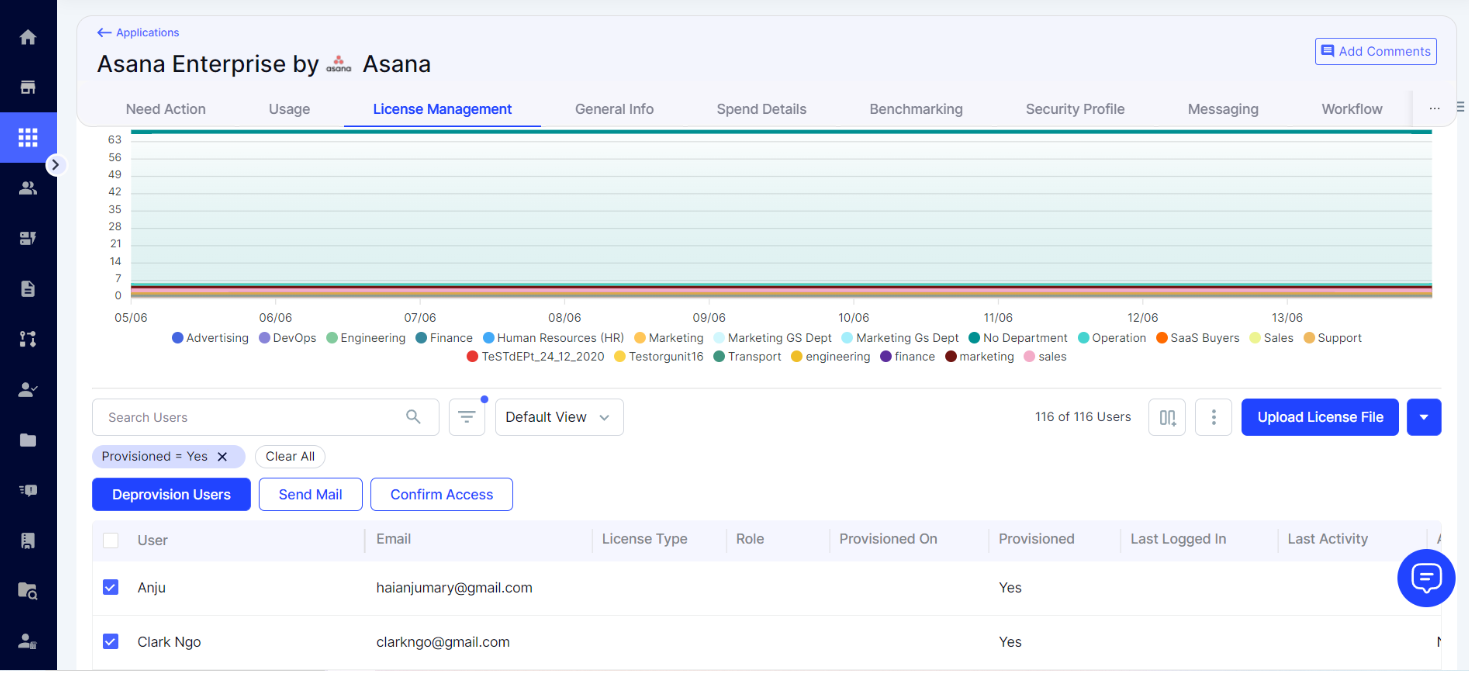
You can integrate your Asana on the CloudEagle platform into your KSAT console. Integrating these apps with KSAT allows you to access detailed information about organizations, view user lists, manage user accounts, and monitor accurate usage of the Asana platform through user login activity.
Note:To monitor usage of the Asana platform, Asana Enterprise+ or Asana Legacy Enterprise plans are required.
Before You Connect Asana on CloudEagle to Your KSAT Console
Before integrating Asana on CloudEagle into your KSAT console, you must create a KnowBe4 Reporting API token and save it in a safe location for use in the following steps. For more information on KnowBe4’s Reporting API tokens, see our Reporting API Overview article.
Connecting Asana on CloudEagle to Your KSAT Console
You can connect your Asana on the CloudEagle platform to your KSAT console by following the steps below.
- Log in to your Asana account and navigate to the admin console.
- In the left navigation menu, select Apps.
- Select Add Service account and create a new service account for the CloudEagle integration.
- Enter a name for your service account, and in Permission scopes, select User provisioning (SCIM) and Audit Logs.
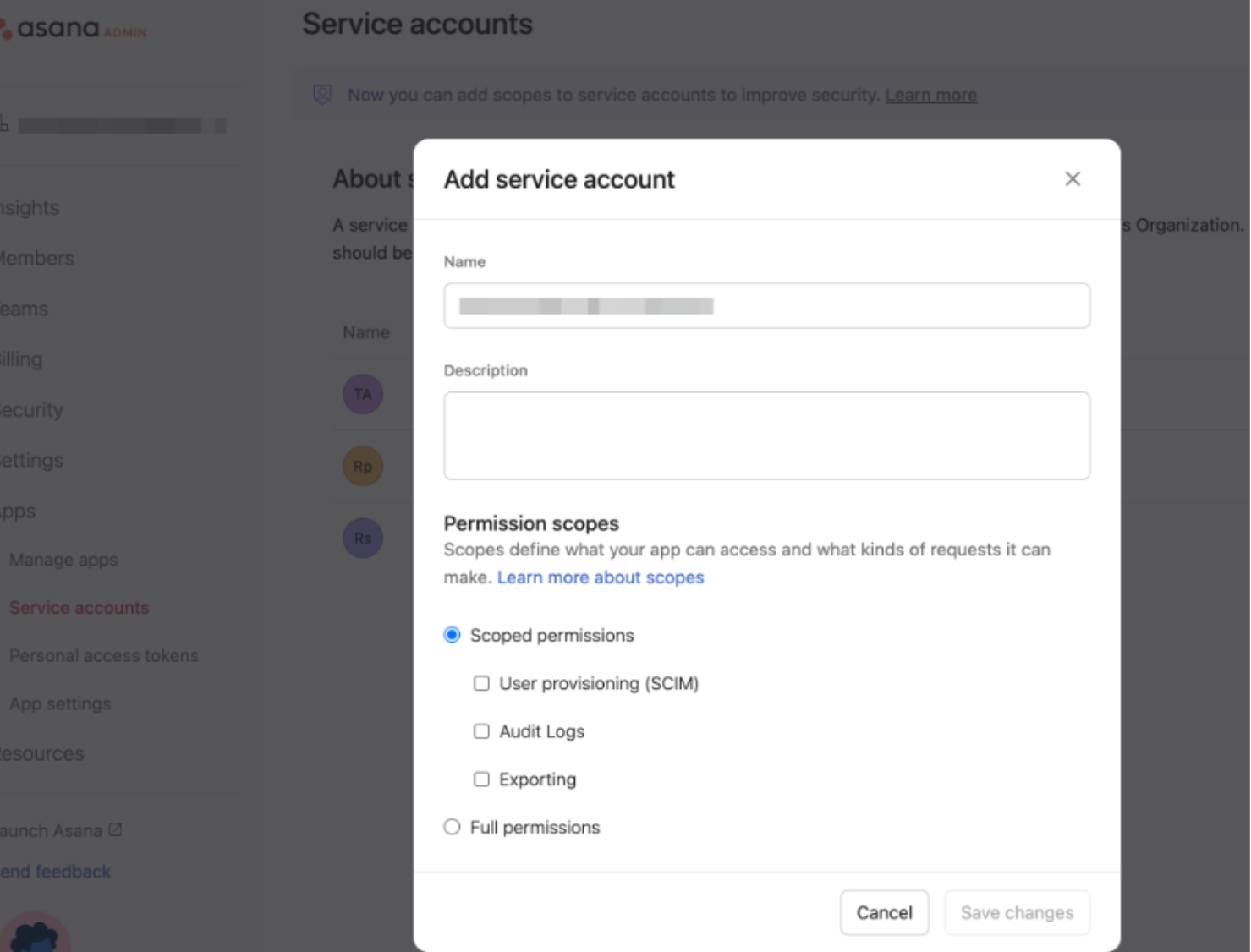
- Add your KnowBe4 Reporting API token, and then select Save changes when complete.
- To connect Asana Enterprise users, create a service account token from the Asana app that is associated with an Asana Enterprise+ or an Asana Legacy Enterprise account.
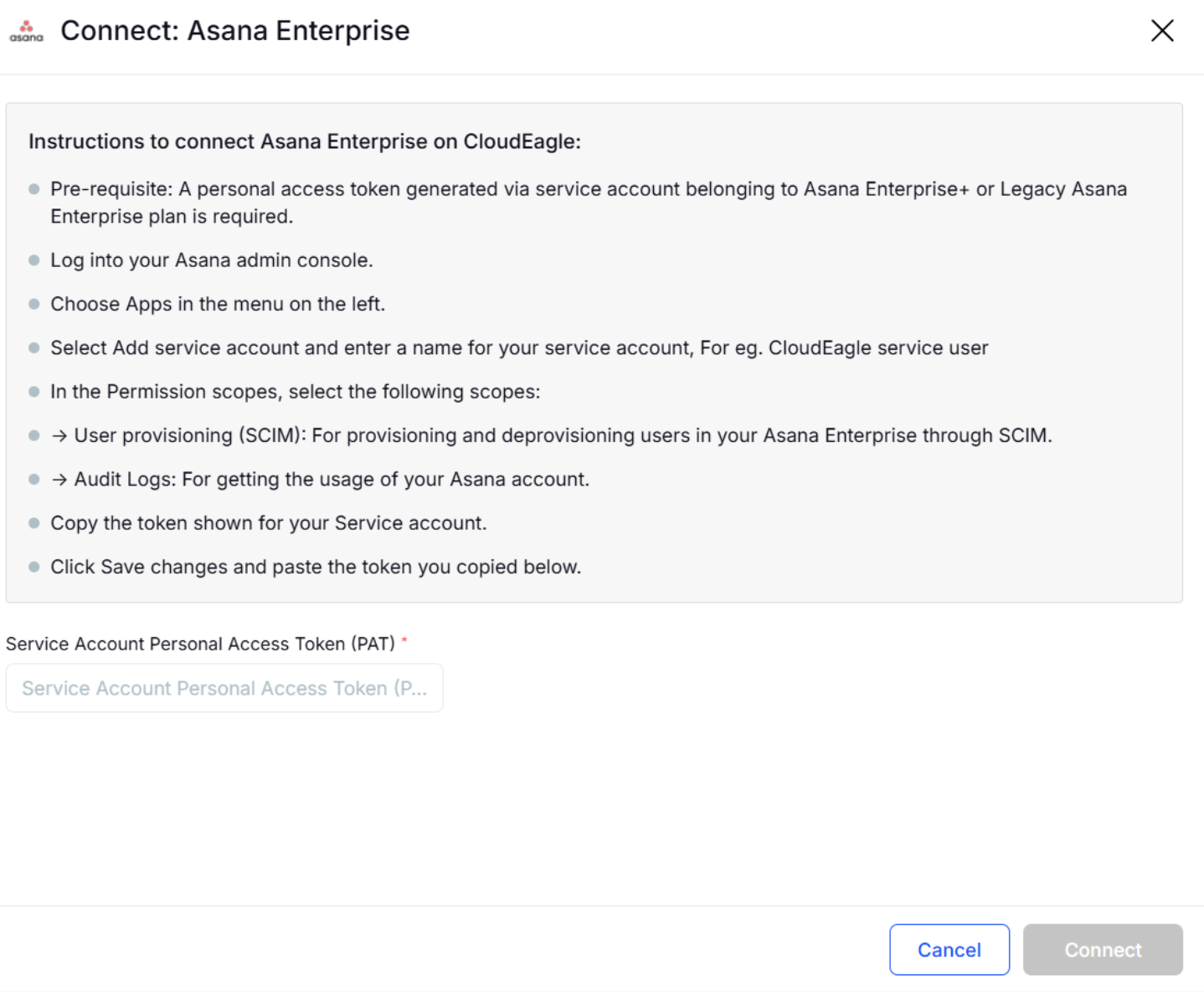
- Log in to your CloudEagle platform and navigate to Admin > Integrations > Direct Integrations. Search for Asana Enterprise. Select Connect.

- A new window will open asking for a Personal Access Token. Paste the token you saved from the previous step into the space provided and select Connect.
- If the connection is successful, you will see a Sync Now button. Select Sync Now to start syncing the data.

- The first sync may take some time, depending on the size of the data. You will receive a notification after the sync is complete. Data syncs will automatically occur every 24 hours to ensure you have the latest updates.
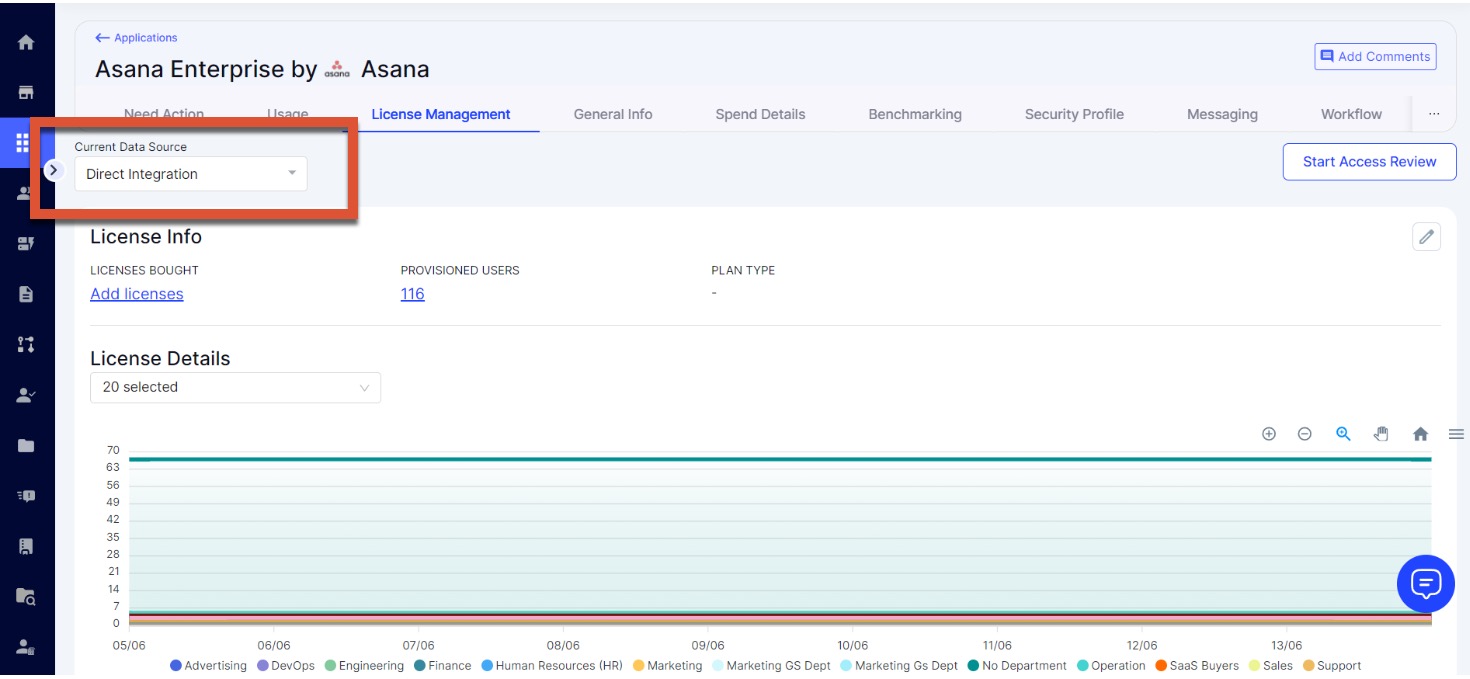
- Once the first data sync is complete, you can view all the information you have given access to in the Asana Enterprise Application tab, under Current Data Source, as Direct Integration.
- You can also use the Users module to provision or deprovision Asana Enterprise to users and manage them directly from the License Management tab.