You can integrate your ENGAIZ ComplySec360™ platform into your KSAT console. ComplySec360™ is an information and security compliance platform that helps startups and small and medium enterprises improve their risk posture and maintain compliance with SOC 2, ISO 27001, GDPR, HIPAA, and more.
Before You Connect ComplySec360™ to Your KSAT Console
Before integrating ComplySec360™ into your KSAT console, you must find your Server Name and create a Reporting Event API key. Follow the steps below to do both actions.
- Your Server Name depends on where your KnowBe4 account is located. Please see the table below to find the Server Name for your region.
Server Name Region US United States CA Canada EU Europe UK United Kingdom DE Germany - Log in to your KSAT console as an admin.
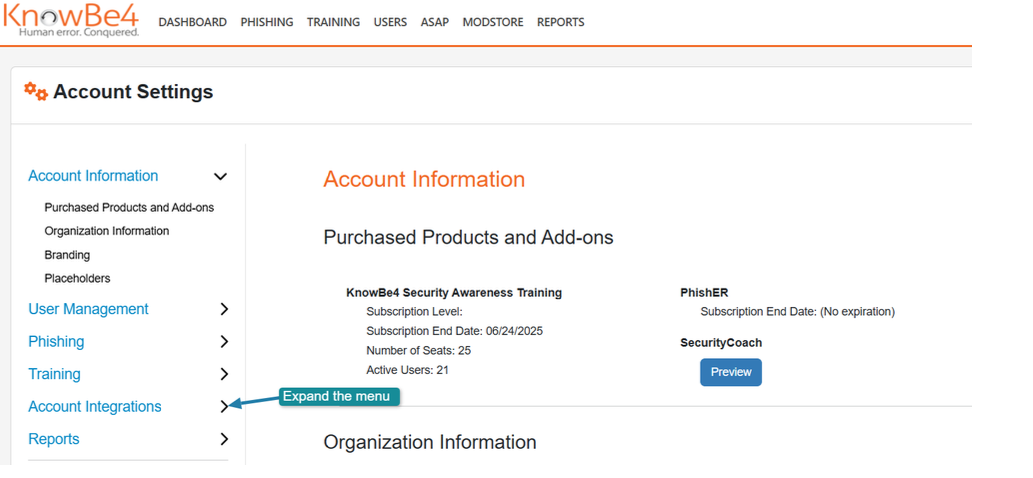
- Navigate to Account Settings in the top-right corner under your account’s email address.
- In Account Settings, navigate to Account Integrations.
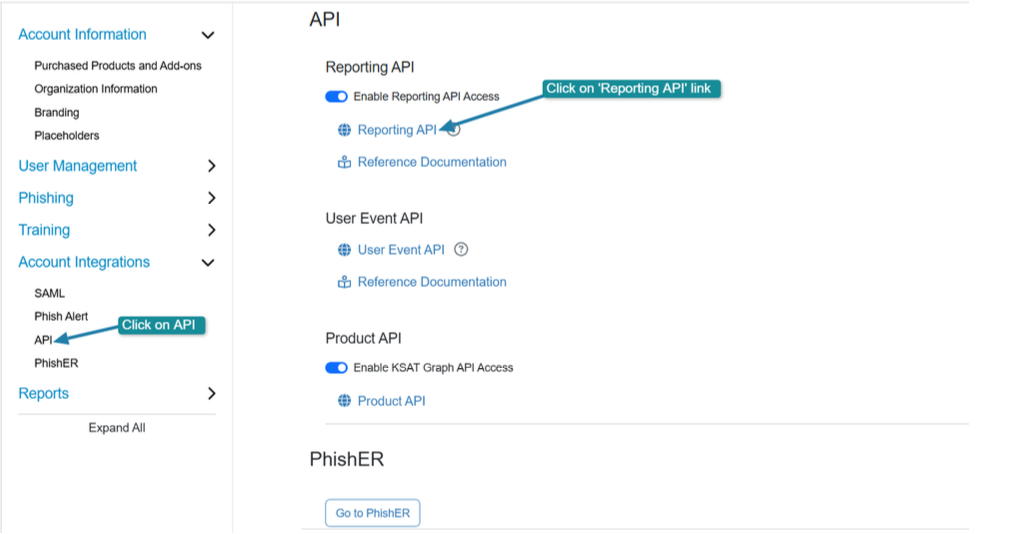
- Under Account Integrations, navigate to API > Reporting API.
- Under Reporting API, click on the Reporting API link. You will then be redirected to KnowBe4’s APIs page.
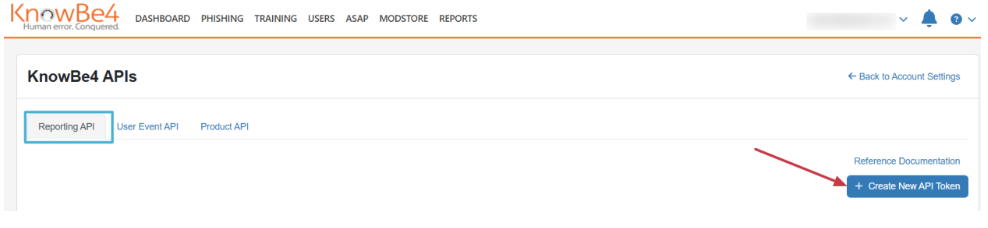
- In the Reporting API tab, click the + Create New API Token button.
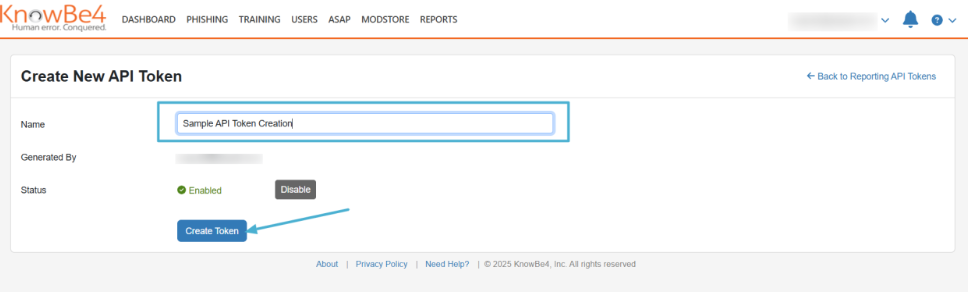
- Enter a name for your API key and click Create Token.
- Your Reporting API Token should appear. If you hover over it, you will see a Click to Copy hover text.
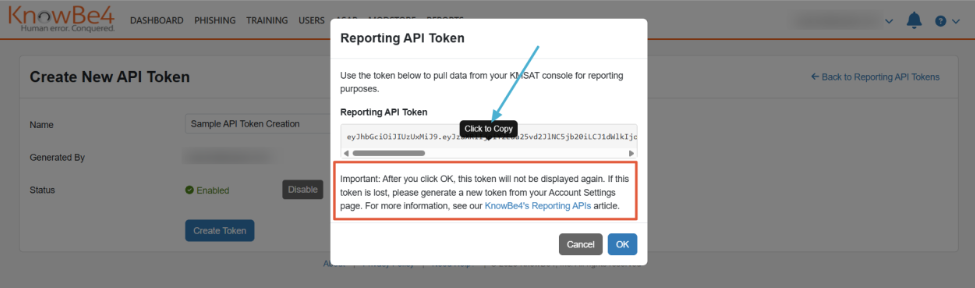
- Copy and save the API key for the steps below.
Connecting ComplySec360™ to Your KSAT Console
You can connect your ComplySec360™ platform to your KSAT console by following the steps below.
- Log in to your ComplySec360™ platform.
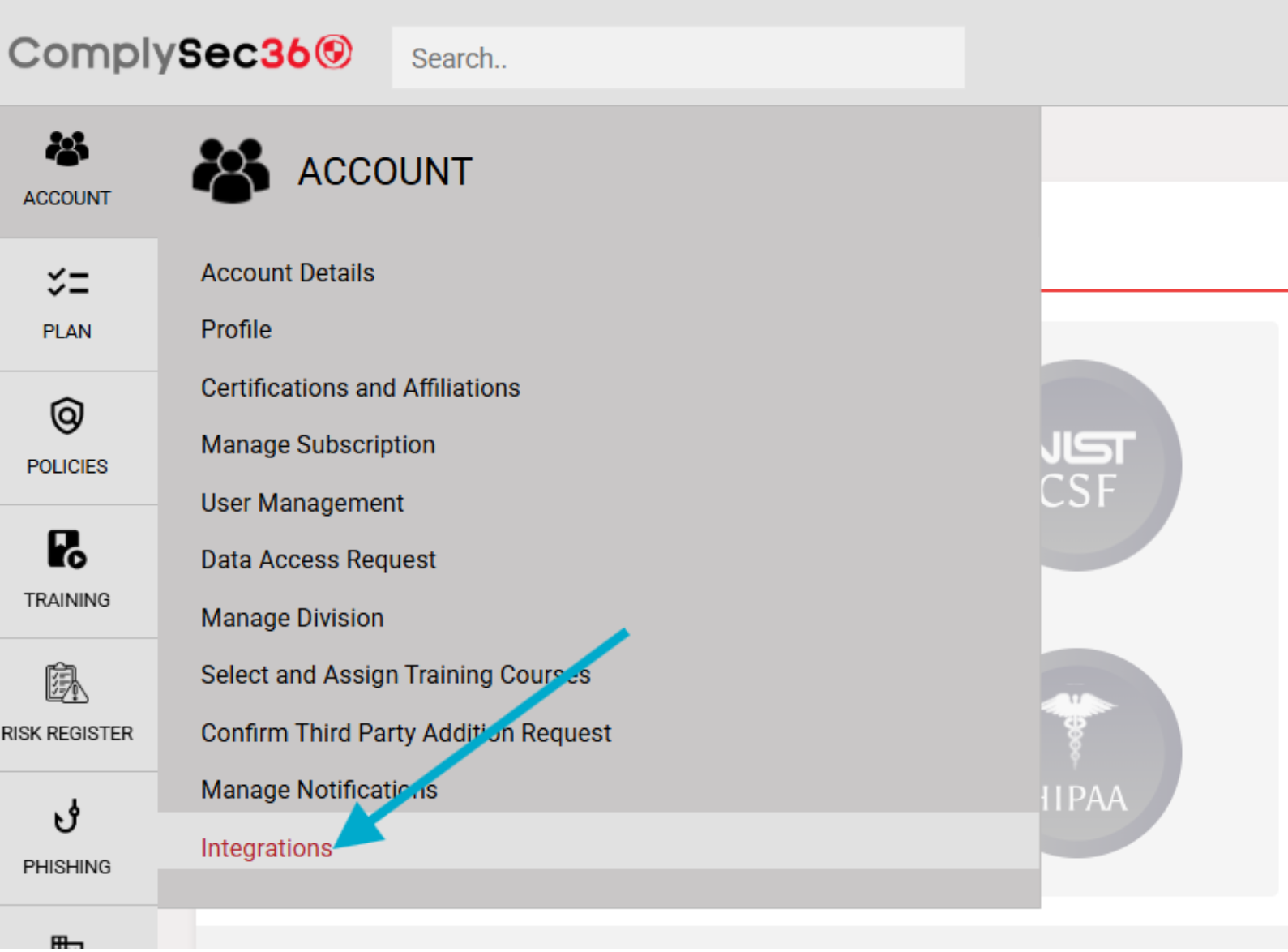
- In the left menu, click on the Integrations sub-menu.
- In Integrations, expand the Security Awareness & Phishing section.
- Click the Connect button on the KnowBe4 tile.
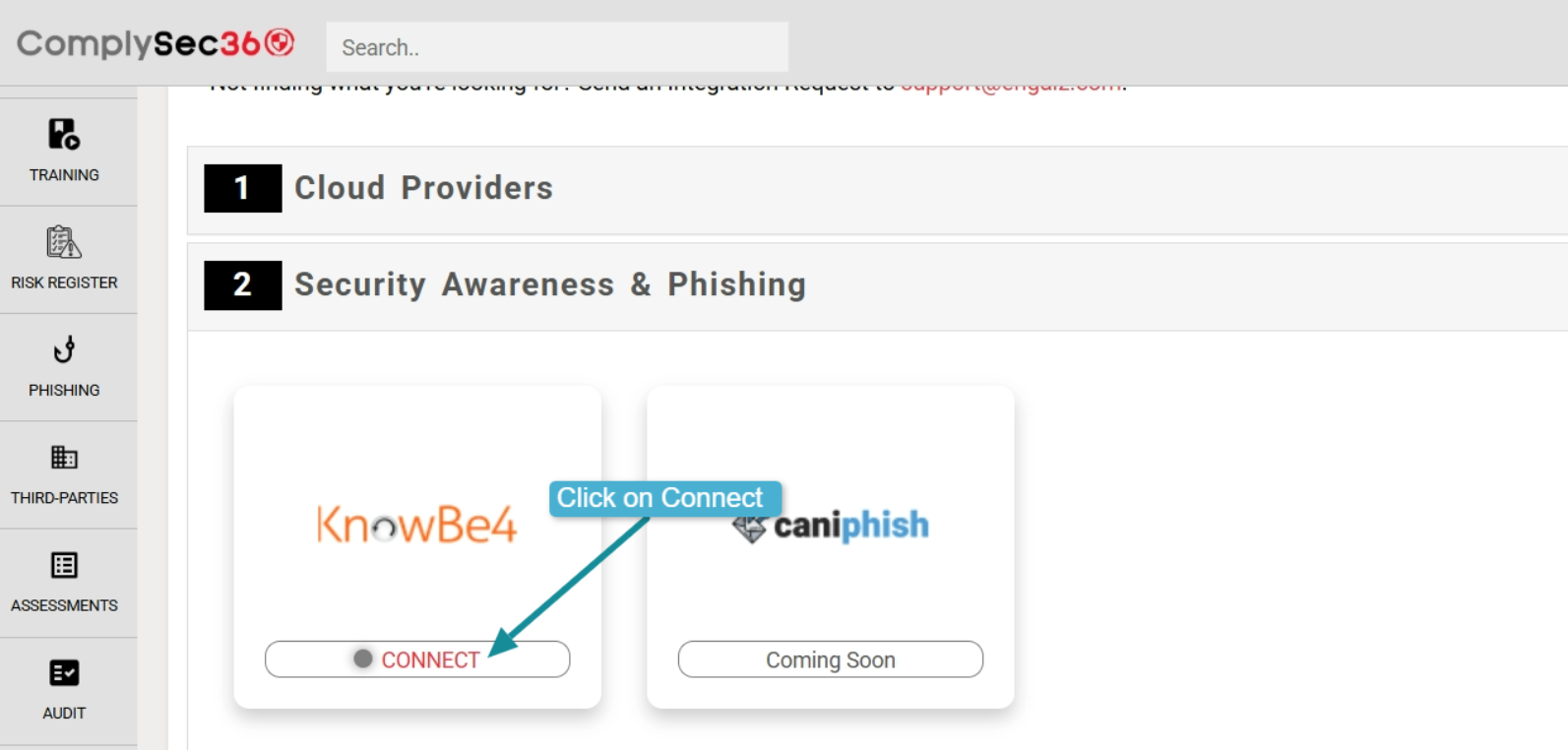
- A window will open, prompting you to enter the Asset Name, Server Name based on your region, and Reporting API token.
- Enter the Asset Name, Server Name, and the Reporting API token generated in the above steps.
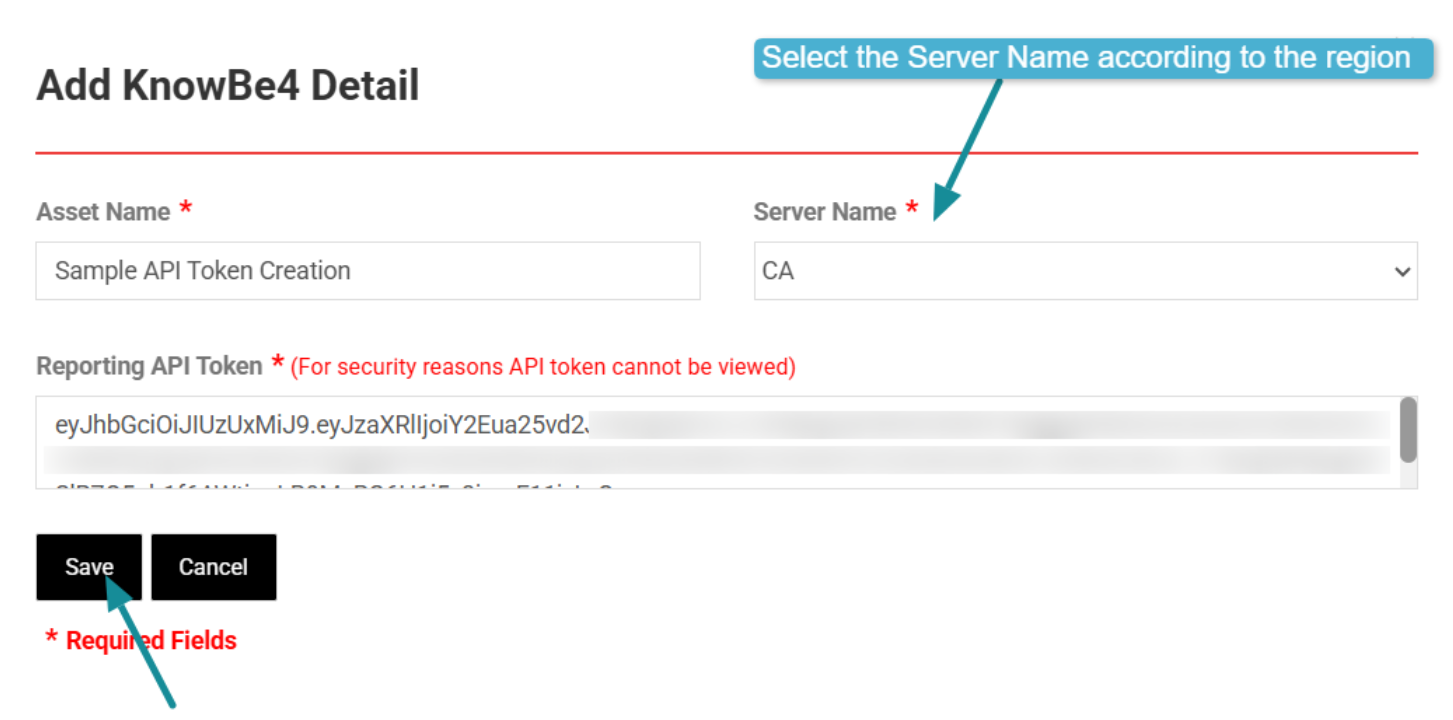
- Click Save.
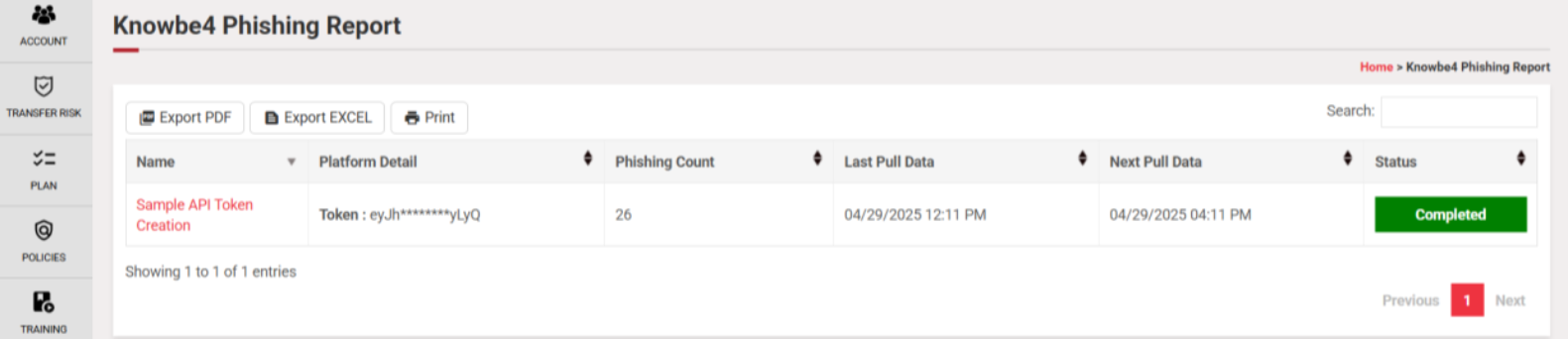
If the integration is successful, the ComplySec360™ connection status will show as Connected. The sync status will show as New at this point, meaning that the ComplySec360™ platform is ready to pull data from the KSAT console. The initial data pull begins automatically and typically completes within one hour. 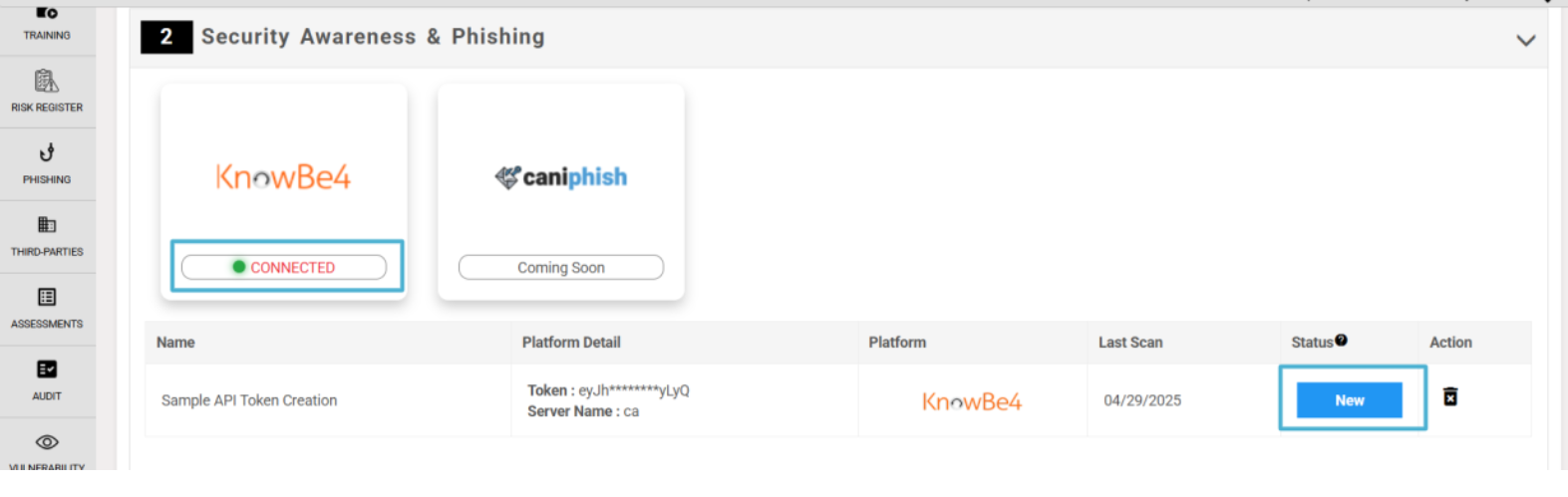
After the initial sync is finished, the status changes to Completed. The connection will remain Connected, and data will now be regularly synchronized.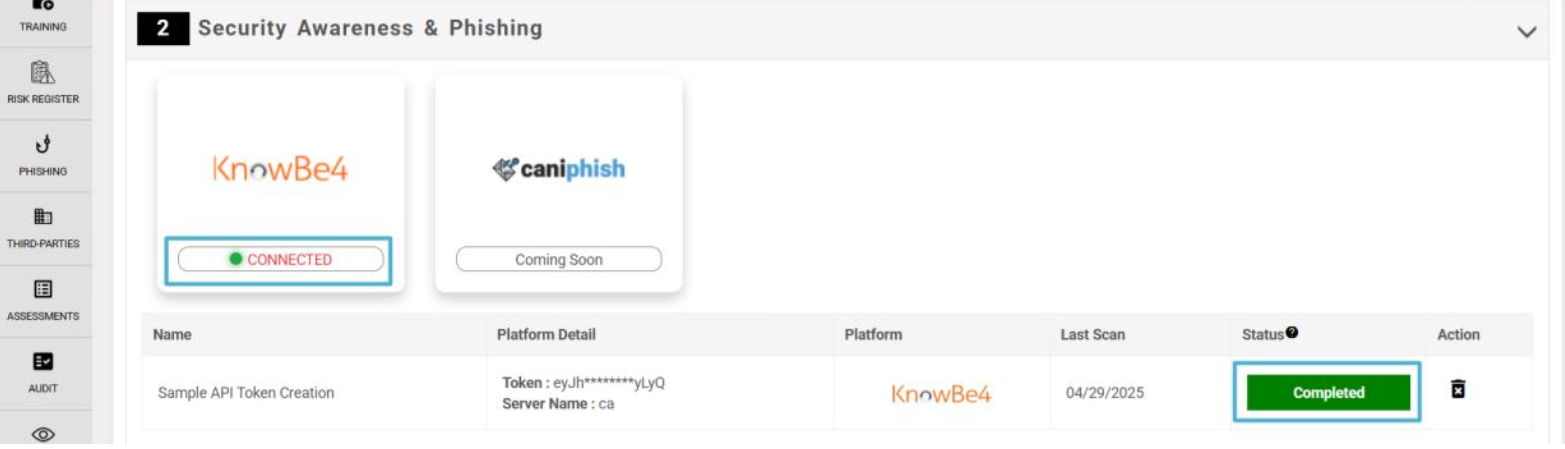
Accessing KnowBe4 Reports in ComplySec360™
You can access KnowBe4’s KSAT training and phishing reports using the ComplySec360™ platform.
Accessing KnowBe4’s Training Reports in ComplySec360™
You can access the training reports by following the steps below.
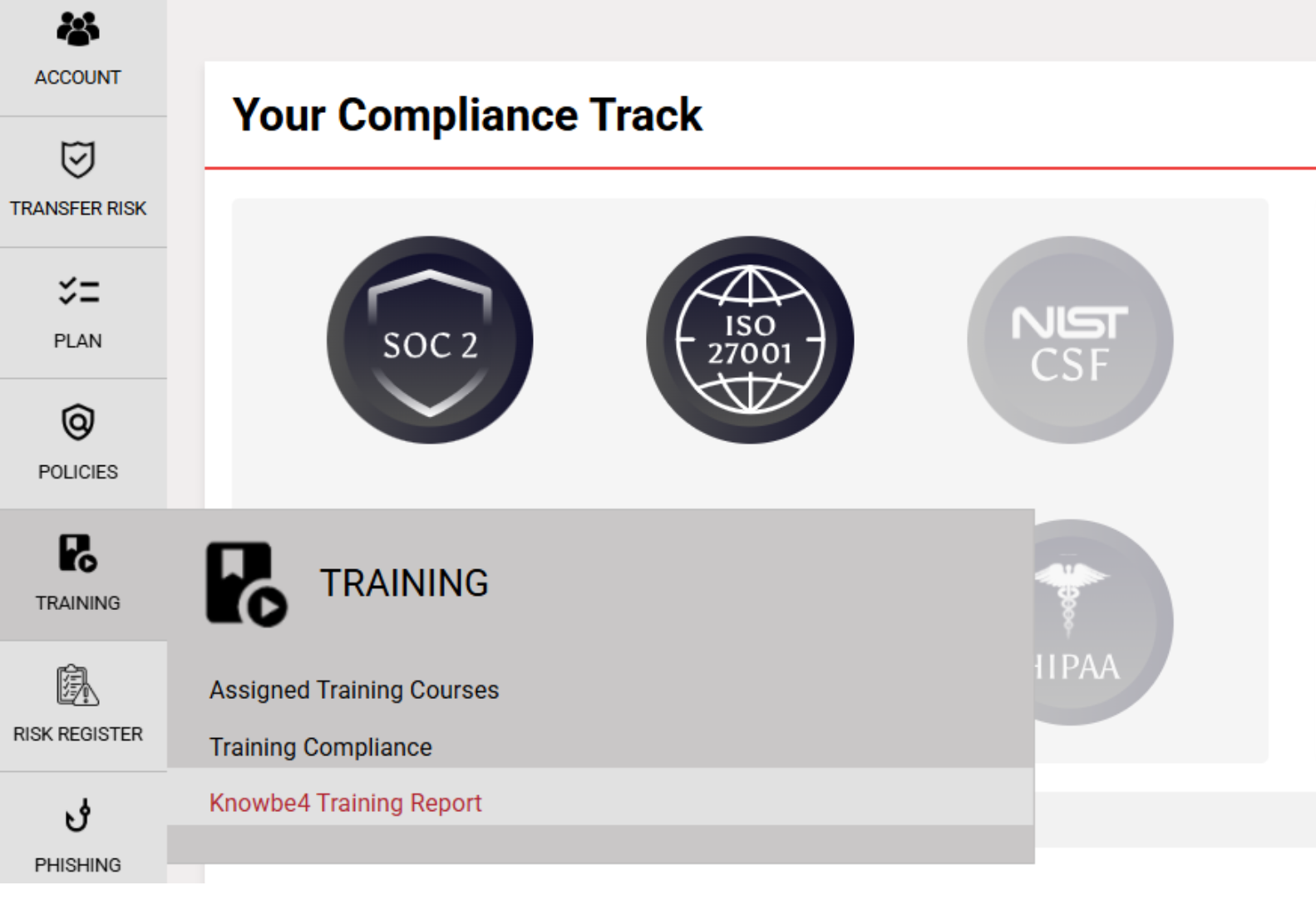
- Hover over the Training module in the left menu.
- Click on KnowBe4 Training Report.
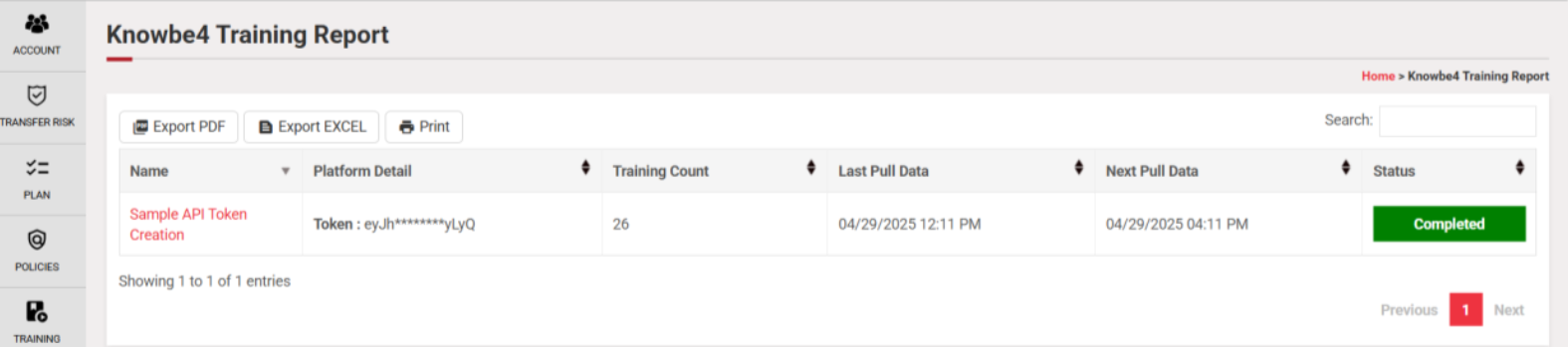
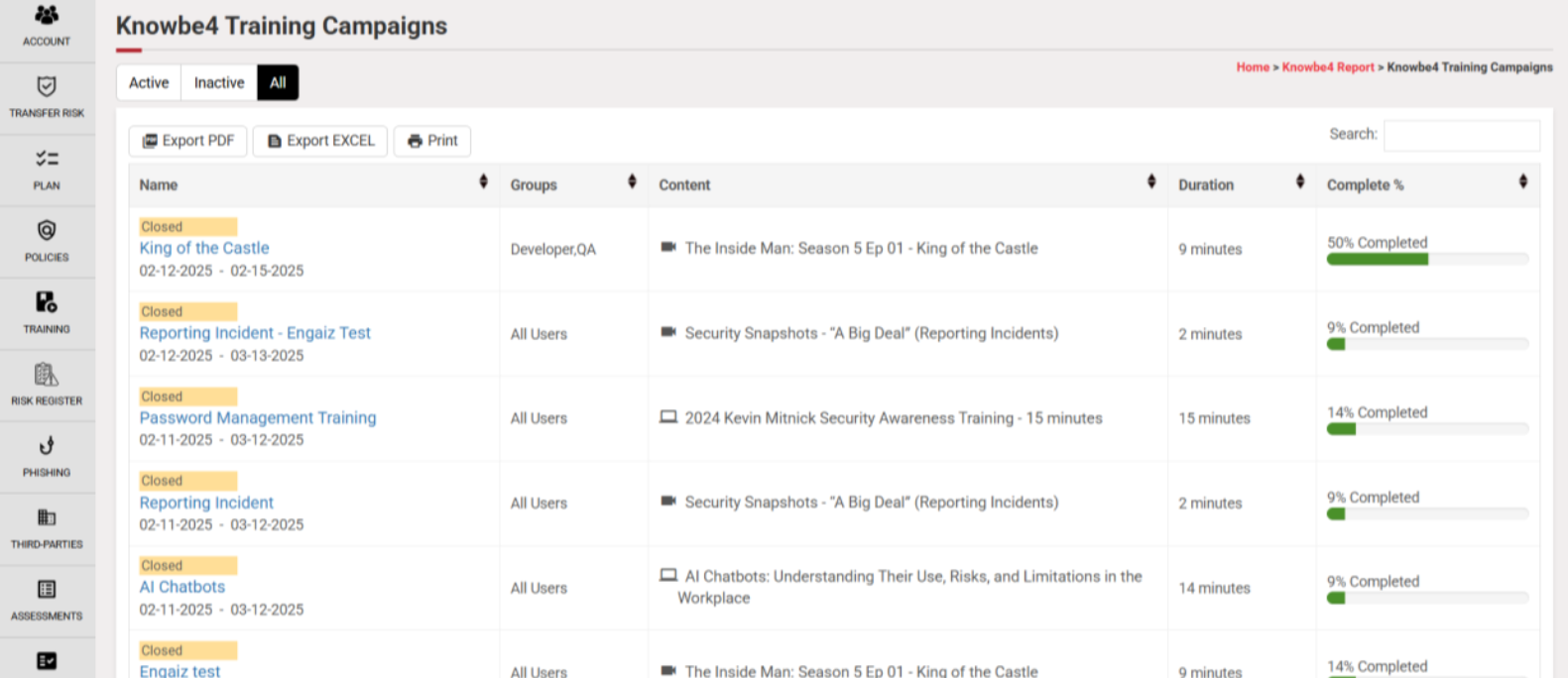
- Click the link under the Name column in the report table to view training campaign details.
Accessing KnowBe4’s Phishing Reports in ComplySec360™
You can access the phishing reports by following the steps below.
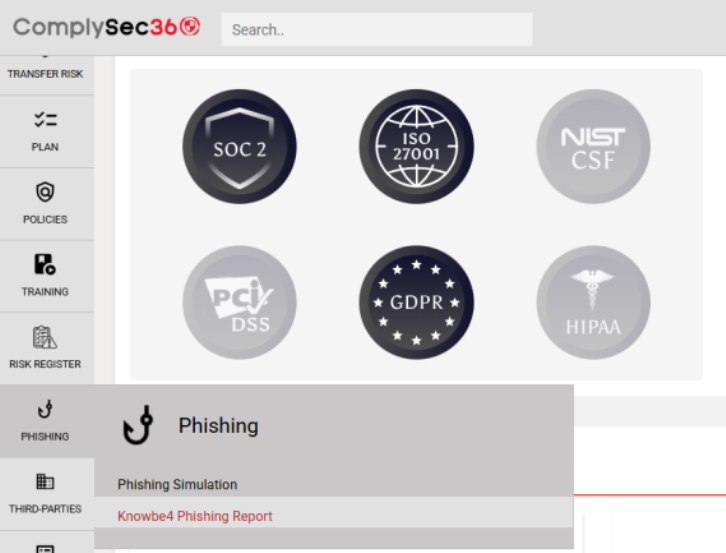
- Hover over the Phishing module in the left menu.
- Click on KnowBe4 Phishing Report.
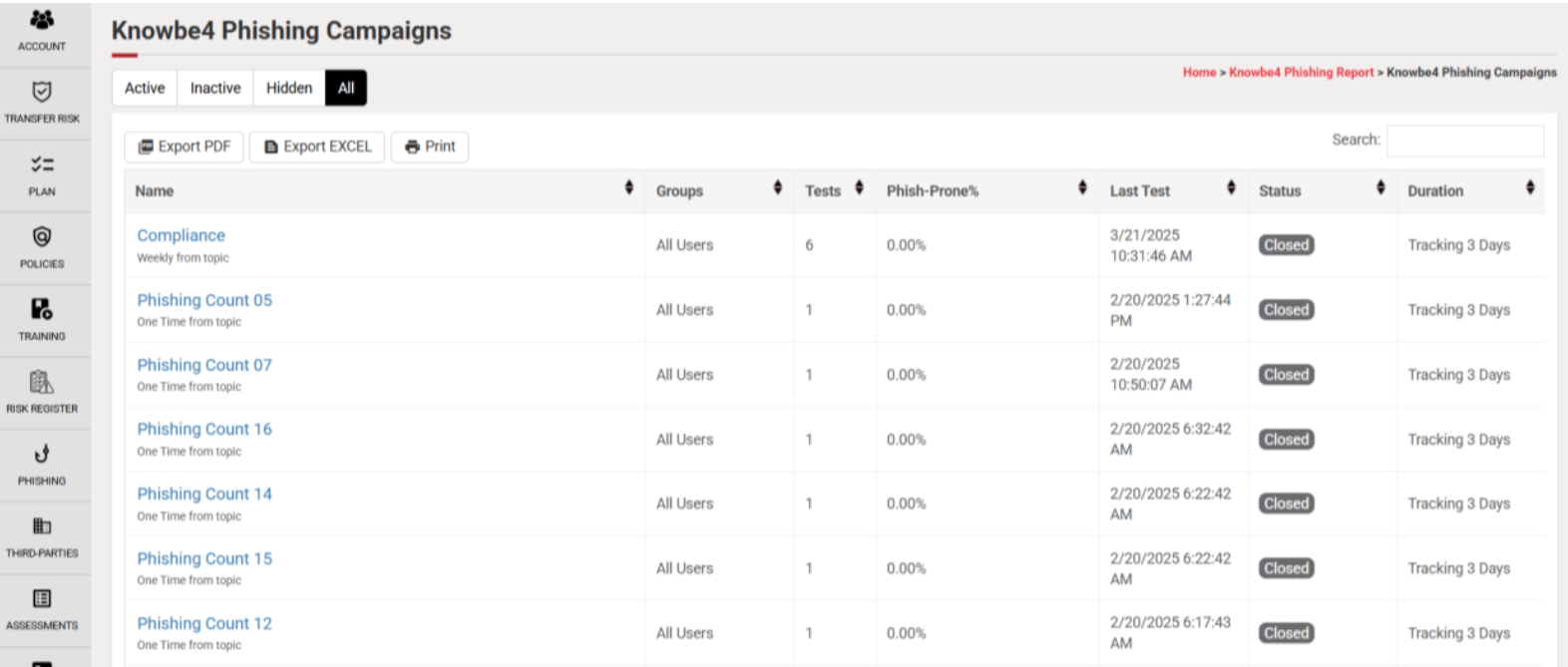
- Click the link under the Name column in the report table to view phishing campaign details.