Protect is encryption software that allows you to control and protect the information and data that you send. Protect integrates seamlessly into your Microsoft Outlook account. If Microsoft Outlook is not available, you can use Protect functionality using Web Access.
Encryption
Protect integrates with your Microsoft Outlook and allows you to control and protect the information and data that you send.
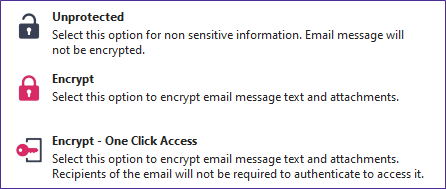
When composing a new email, an Unclassified button is displayed. This allows you to select the appropriate level of email security for the email you compose.
When selecting the Unclassified button, the following encryption options are available by default:
Large File Transfer
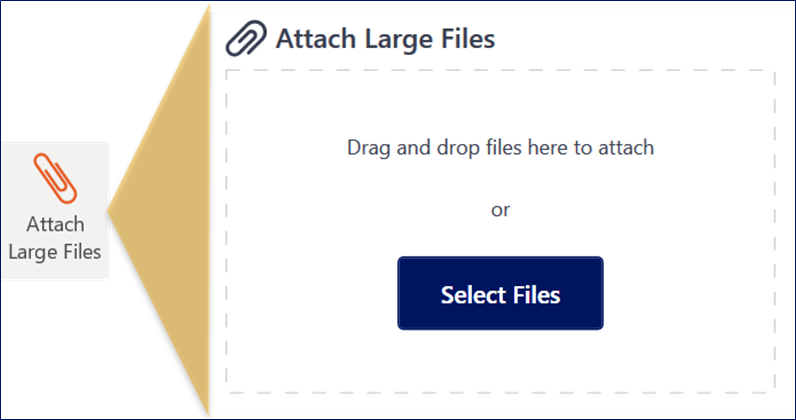
When composing a new email, an Attach Large Files button is displayed. Selecting Attach Large Files opens a side panel. Here, you can drag and drop or browse and select files to attach.
Note:
- By default, files greater than 10MB will be attached using LFT (this threshold is customizable and may be greater than 10MB). The side panel opens automatically to display the attachments.
- The recommended maximum file size for large file transfer is 2GB.