Leaderboards are a fun way to compete with your colleagues and show off your security awareness skills. If your organization has turned on leaderboards, you'll find them on the Achievements tab of your Learner Experience (LX). Depending on your organization's setup, you may have an individual leaderboard, a group leaderboard, or both. Read the sections below to learn how each leaderboard works and how rankings are calculated.
Find Your Leaderboard
To see your leaderboard, click Achievements in the left menu. Then, select the Individual Leaderboard or Group Leaderboard tab. You'll only see the tabs for the leaderboards your organization has turned on.
You can also see a summary of your rank on the Leaderboard card of your Dashboard. Click on that card to go to the Achievements page.
Individual Leaderboard
On the individual leaderboard, you’ll compete with your colleagues on how well you use the Phish Alert Button (PAB). Points are based on the percentage of simulated phishing emails you report and how quickly you report them. For information on how to use the PAB, find the article for your specific email client in our PAB Learner Support section.
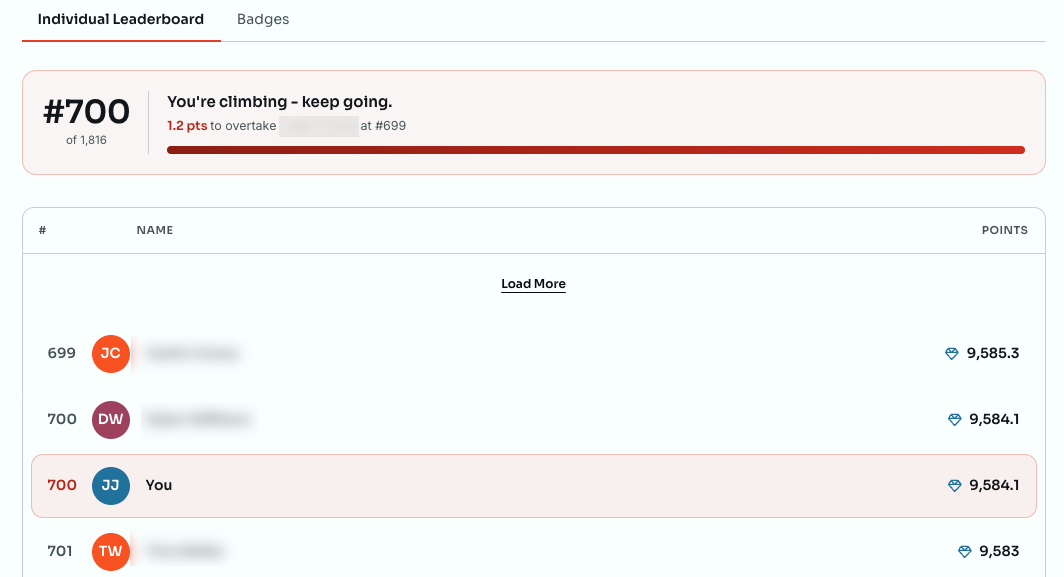
At the top of the leaderboard, you'll see your rank out of everyone on the leaderboard, your points, and how many points you need to overtake the person ranked just above you. The progress bar fills as you get closer to passing them.
Below that, the list shows the people ranked near you, with your row highlighted. Click Load More at the top or bottom of the list to see more ranks in either direction.
If you haven't reported a phishing test yet, you'll see a Join the leaderboard message instead of a rank. Use the PAB to report your first simulated phishing email, and you'll be added to the leaderboard.
Your organization chooses the leaderboard's time period. Depending on their settings, your leaderboard may be a Monthly Leaderboard, Quarterly Leaderboard, or Yearly Leaderboard. Only phishing tests sent during that time period count toward your points.
Detailed Point Calculation
To calculate your points for the individual leaderboard, we use the formula below:
(1000 x Percentage Reported) + Reaction BonusPercentage Reported: This is calculated by dividing the number of simulated phishing emails you reported by the total number of phishing tests that were sent to you during a given timeframe. Depending on your organization’s settings, this timeframe may be monthly, quarterly, or annually. For example, if you receive four test emails but only report three, your percentage reported is 75 percent.
Reaction Bonus: You can earn bonus points for reporting a simulated phishing email within 72 hours. The bonus starts at 8,640 points and decreases by 1/30th of a point every second until the email is reported. This granular timing helps prevent ties by rewarding you for every second saved.
To ensure the leaderboard accurately reflects your speed, all final scores are displayed with one decimal place.
Example Calculation
If you report a test email exactly one hour (3,600 seconds) after receiving it, your reaction bonus would be 8,520 points. Using the 75% report rate from the example above, your total points would be 9,270.
(1000 x 75%) + 8520 = 9270Group Leaderboard
On the group leaderboard, you’ll work in groups to complete all of your assigned training on time. The more training your group members have completed, the higher your group is on the leaderboard. Your organization sets up who is in each group and what the timeframe is for the leaderboard.
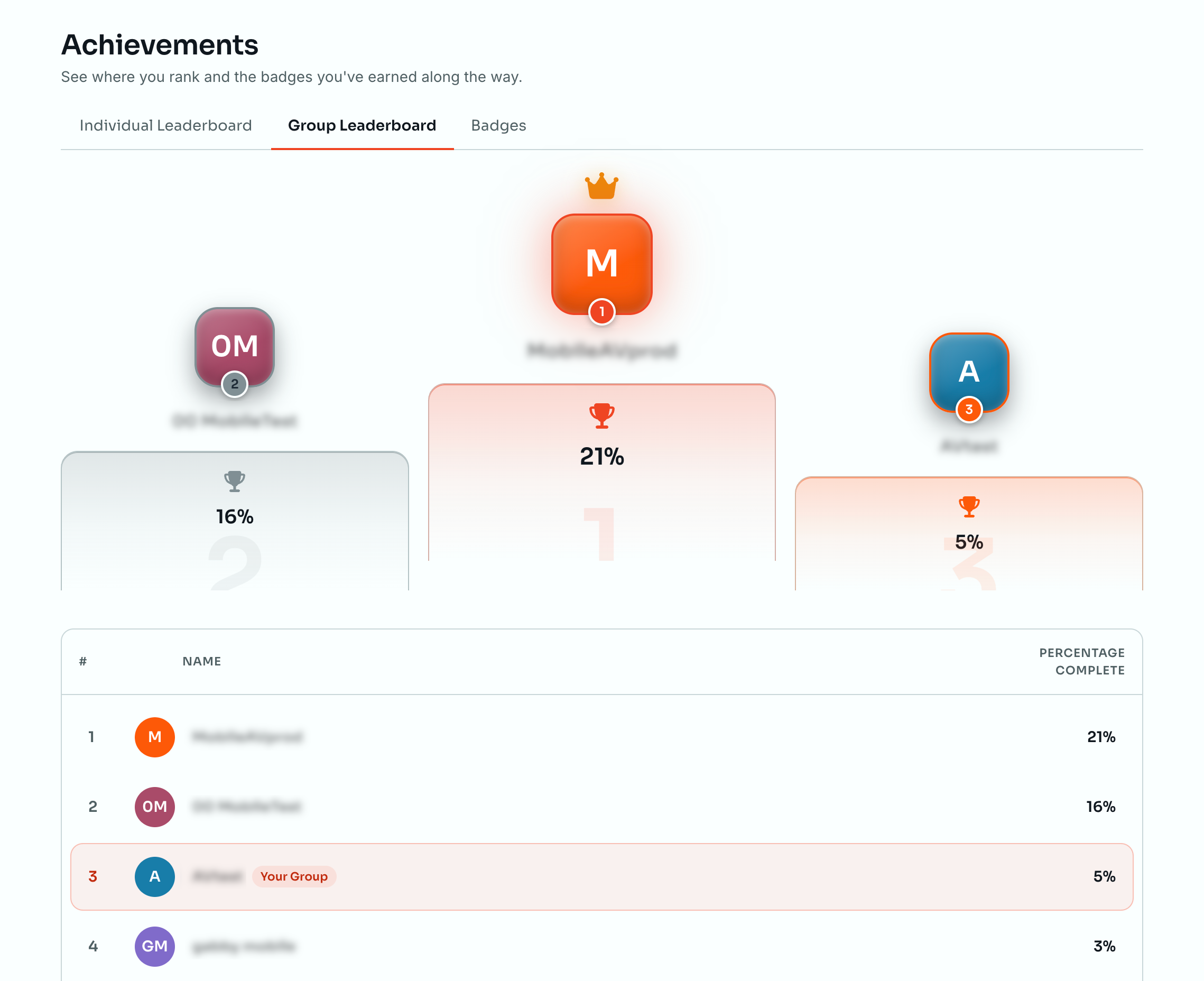
Groups are ranked by their percentage of training completed. This percentage is the number of training assignments your group members have completed divided by the total number of assignments they've been given. Groups that reach 100 percent are ranked by how quickly all of their members finish.
If your group hasn't completed any training yet, you'll see a Your group isn't ranked yet message. Your group will appear on the leaderboard as members start finishing their assigned training.