Defend and the KnowBe4 Security Awareness Training (KSAT) console are a powerful combination to help prepare employees for threats before they materialize. By sharing live email threat intelligence data directly with the KSAT console, organizations can enjoy dynamically populated Smart Groups, allowing for relevant content and security tests delivered on an automated basis.
Requirements
The below items are requirements for the integration:
- SAT Advance, Platinum, or Diamond-level KnowBe4 subscription
- Defend subscription
- Performed the steps in the Human Risk Management and KnowBe4 Integration article.
Integration Steps
To provide Defend with access to KnowBe4's User Events API, you must generate a User Events API key within the KnowBe4 admin console. The steps for this process are listed below:
- Navigate to Account Integrations API.
-
Select the User Event API.
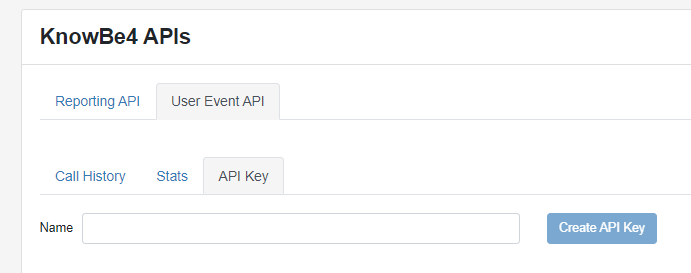
- Enter a name for the API, such as "Defend".
- Select Create API Key.
- Once the key is generated, make a note of it, as it will not be shown again.
The generated key now needs to be entered into the Defend Security Center. The steps for this process are listed below:
-
Navigate to Settings Partner Integrations.
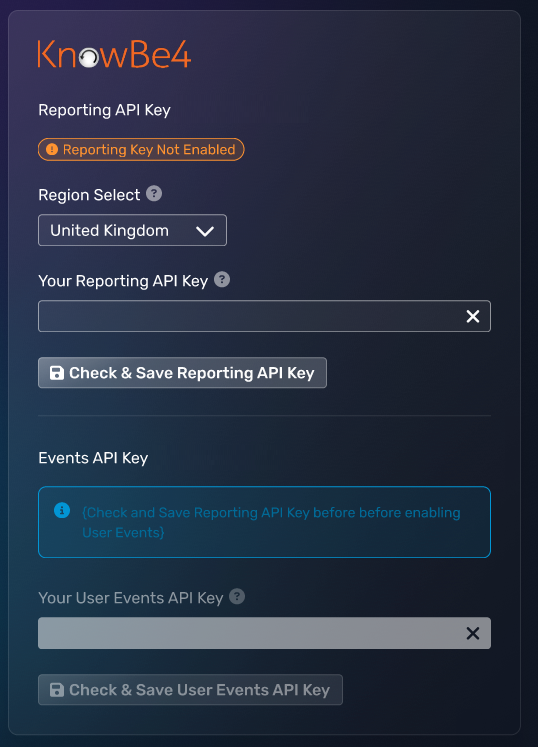
- Enter your API key into the User Events API field.
- Select Save.
Recommended Configuration
For organizations beginning to use the integration between Defend and the KSAT console, there is a broad range of potential use cases that can be catered for. Here are some examples of specific Smart Groups you may wish to create:
- Users commonly targeted with a specific payload, such as QR codes
- Users commonly targeted with specific phish types, such as business email compromise
- Users new to Defend
These Smart Groups can be leveraged in your security awareness training program to suit your needs. A key approach to adapting KSAT using Defend's threat telemetry is to adjust the rate of phishing security tests based on how targeted the user is. This action allows for more frequent testing of users where needed, driving better awareness and greater accuracy of the KSAT console's scoring features, such as Phish-prone Percentage and Risk Score.
To configure this approach, we would recommend the following Smart Group criteria, as shown in the screenshot below:

This criterion ensures that users experiencing higher volumes of phish (suggested value of 12 per 30 days) are populated into the Smart Group.
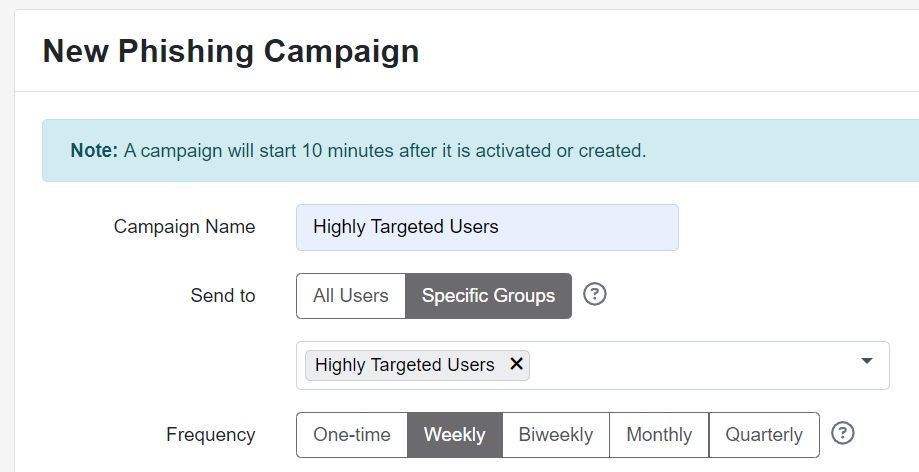
When creating a new phishing campaign, you can specifically target this Smart Group and choose your desired frequency, as shown in the screenshot below:
Disabling
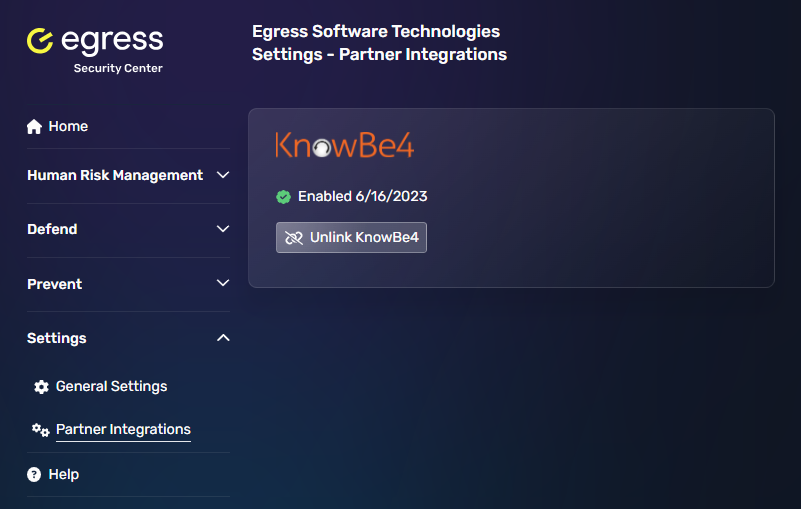
The integration can be removed at any time within the Defend Security Center:
- Log in to the Defend Security Center.
- Navigate to Settings Partner Integrations.
- Select Unlink KnowBe4.
FAQs
- It may take up to 24 hours before Defend events are available in the User Timeline.
- You must have completed the Defend Azure AD Integration before the KnowBe4 integration will be displayed.
-
Enabling this integration shares very limited threat event details with the KnowBe4 platform. A typical Defend event share includes the following:
- MessageID
- Phish type, such as brand impersonation
- Payload type, such as URL
- Date and time of receipt
- Sender's location, such as country
Detailed information about the email content is not shared.