The actions outlined in this article typically need to be performed by a system admin. To disable Defend, follow the steps below:
- Remove "Defend Users" members.
- Disable mail flow rules.
- Remove Microsoft 365 app registrations, connectors, and groups.
Remove "Defend_Users" Members
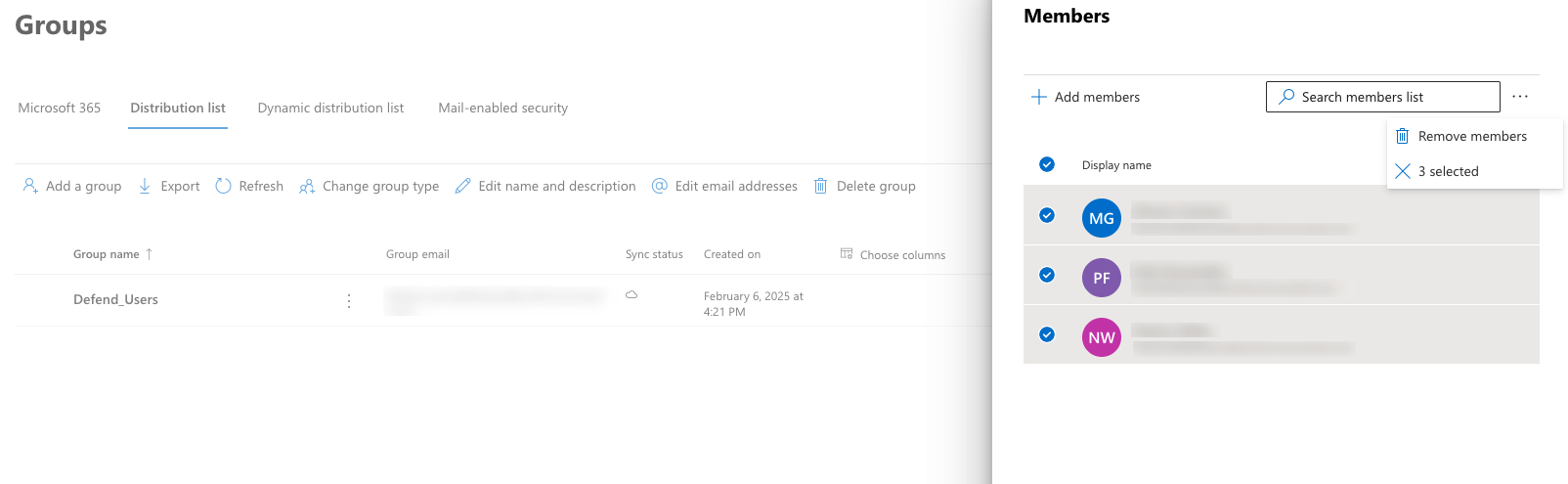
The quickest way to remove Defend from your mail flow is to remove all members from the "Defend_Users" group. To remove members, follow the steps below:
- Login to your Microsoft 365 Admin Center.
- Navigate to Recipients > Groups.
- Select Distribution List from the top menu.
- Select the Defend_Users group.
- Select Members > View all and manage members.
- Select all members in the group by selecting the Display Name check box.
- To remove all users from the group, select the three-dot icon and select Remove Members.
Disable Mail Flow Rules
Defend can be turned off by disabling the relevant mail flow rules that send mail to the Defend servers. Rules can only be disabled one at a time, but once they are applied, they are enforced organization-wide, ensuring there is no risk of any users still being affected by Defend. To disable the mail flow rules:
- Login to your Microsoft 365 Admin Center.
- Navigate to Mail Flow > Rules.
- Disable any rules that mention Defend or Ajax. These rules include:
- Defend Disable ATP Dynamic Scanning
- Defend Banner Active Override
- Incoming Emails via Defend
- Internal Emails via Defend
- Outgoing Emails via Defend
- Defend Microsoft Spam
- Defend Microsoft Strong Spam
- Defend Microsoft Not Spam
- Defend Microsoft Skip Spam
- Defend Remove Header
- Defend Quarantine
You can enable or disable these rules by selecting the check box next to each one. Once all rules are deactivated, Defend will no longer affect your organization.
Remove Microsoft 365 App Registrations, Connectors and Groups
If you do not intend to reinstate Defend, then the app registrations, connectors, and distribution list created during deployment can be deleted. The following can be deleted from your Microsoft 365:
- 2 Defend app registrations
- 2 Defend connectors
- 1 Defend groups
- 11 Defend mail flow rules (shown above)