Defend stores email metadata, which is used for reports and dashboards in the console. Defend does not store the content of your emails.
The data stored for an email that Defend has analyzed includes:
- Recipient To
- From
- To
- CC
- Reply To
- MailFrom
- Timestamp
- Subject
- Sender Header
- Authentication details (DMARC, DKIM, SPF)
- Sender Location
- Message ID
- Attachment filenames
- Host of URLs
- Time of links clicked
- Any banners displayed to the user
- Defend Score
Retention
All data is stored for 40 days before being removed from Defend. If enabled, data feeds into Human Risk Management (HRM) and is stored for 18 months.
Viewing Email Content
When you select View Email on the Recent Emails page, Defend does not pull up a stored copy of the email. Instead, it renders the email on demand, retrieving it directly from the Microsoft Graph API when you view it.
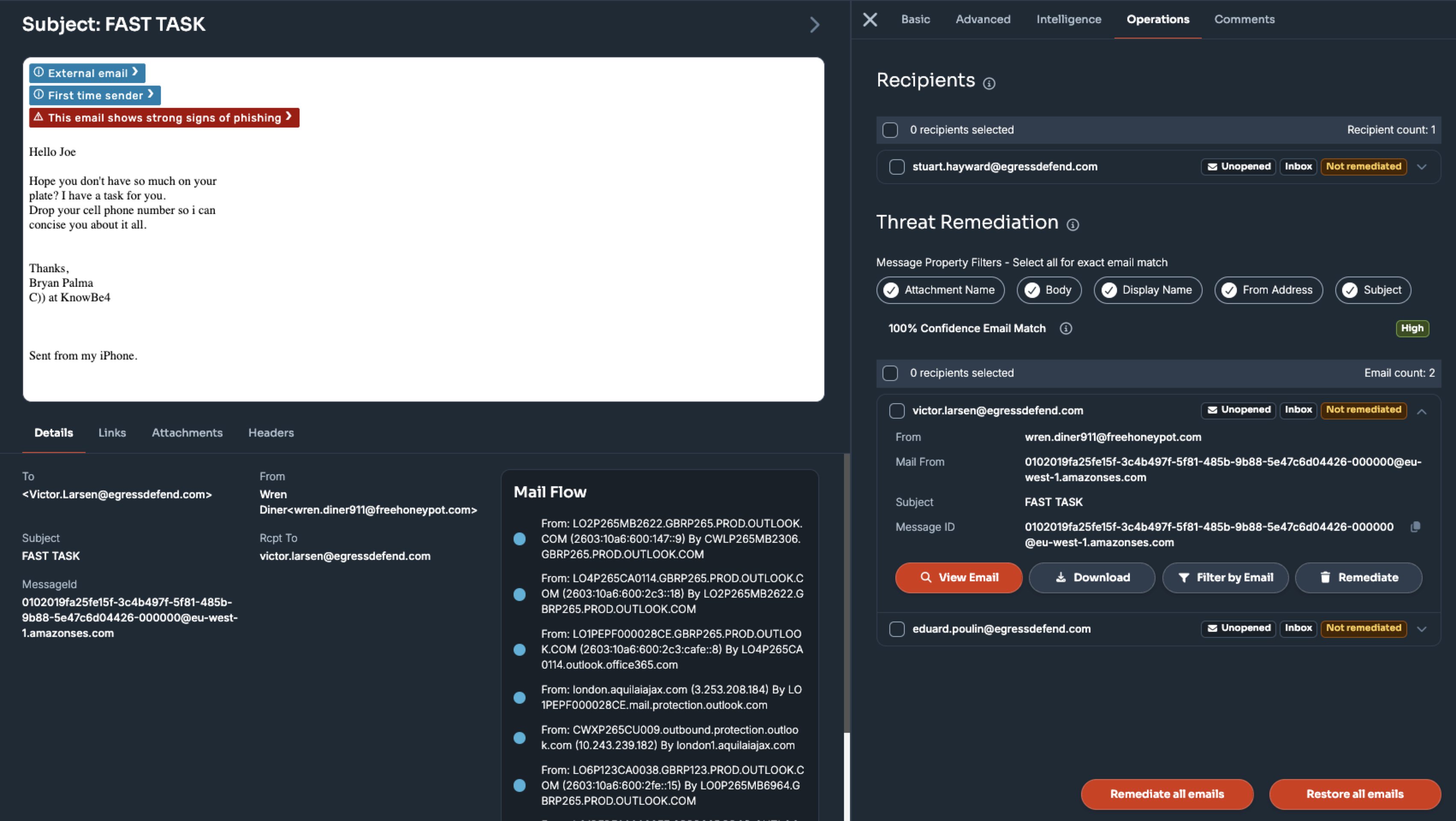
Since Defend renders the email from Microsoft Graph rather than storing it, it doesn't keep a separate, permanent copy of your email content anywhere in its systems. If the email is deleted from the mailbox, you will no longer be able to view it in Defend, as there is no stored copy to retrieve.
Data Security
Defend uses AWS data centers that are ISO 27001/9001-accredited. All data is stored in the database and encrypted with AES256.